5 Reasons Why Investing in a Premium Monitor Is Worth It
Whether it is for work, gaming, or general purposes, a premium monitor is often worth the investment, yet most people look for cheaper options. It could be a limited budget, or perhaps you do not want to pay for a premium brand.
At the end of the day, there are more good reasons to go with a premium monitor than potential consequences. Here are some of the top benefits.
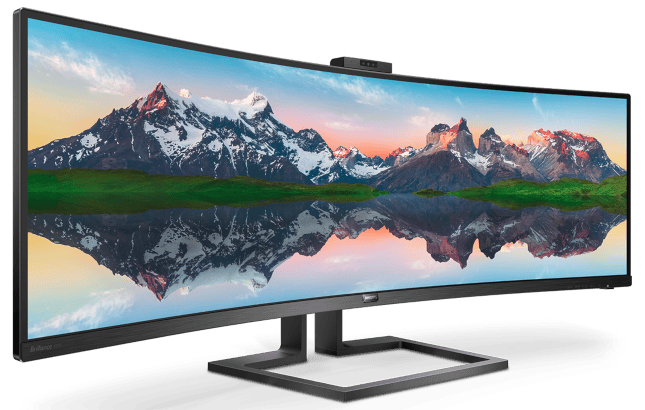
Keeping up with technology
A premium monitor features in the latest technologies for gaming. Some people believe that they may not necessarily need the ultimate features to enjoy a general experience, such as occasional games or a bit of work. Therefore, they go with something cheap instead.
Does it help? No. Cheap monitors come with outdated technologies. Sure, they work for basics, but you may not be able to watch a movie with the best graphics or enjoy one of the latest games on the market. Having a fast response time to your monitor can be the difference between winning a Call of Duty match or not. This is why a premium monitor is worth it. That’s not all. You can also add more gaming gadgets to improve your online gaming experience.
Value for money
It is true that brands like Samsung are more expensive than brands that no one has ever heard of. You could find a cheap monitor costing two or three times less than a premium one, so it looks like an attractive option.
However, it is not. A premium brand will offer a good guarantee, not to mention warranties. You can probably get it fixed anywhere if something goes wrong in a few years. You can find parts for it. On the other hand, none of these things is likely to happen with a cheap monitor.
Once it breaks down, you may not even know how to claim the warranty.
Multitasking features
Now, it depends on why you need a monitor. If you are planning to get it for work, a premium 1440p monitor with a good size is a great choice. The workflow will be better and since it will be a high-quality monitor, your eyes will thank you for it. They will not get tired as easily.
You can maximize the space with more windows, for example. You can compare files without minimizing and maximizing all the time. Basically, multitasking becomes a breeze. Keep windows side by size rather than swapping between them. It may seem irrelevant, but you will notice the convenience right away.
Safety standards
The price of a premium monitor is what might push people away. But this is not just about value for money, but also about your own safety. A premium design comes with the ultimate technologies in terms of safety for your eyes.
You probably know it already, most people working in front of screens or gaming too much will eventually need glasses. Premium monitors come with different layers of protection for your eyes. On the other hand, a cheap unit will not give you too much in terms of protection.
Premium monitors reduce the strain on your eyes, as well as the level of fatigue when spending too much time in front of it.
Power savings
If price is an issue, think about how much more expensive a cheap monitor will be in the long run. Apart from value for money, safety and great technologies, premium monitors are often energy efficient too. This means you can keep your bills lower.
It will not be a fortune. But if you can save a little month by month, it will add up. On the same note, a cheap monitor can cost a fortune in the long run. If you do go for a premium unit, make sure you check the energy efficiency ratings upfront.
The bottom line, monitors are like everything else in life. You get what you pay for. While premium

Axee Davies is the founder of AxeeTech, publishing gaming guides, codes, and Windows how-tos since March 2013. A tech enthusiast for 13+ years — starting with smartphones and Android rooting — he now runs a site that puts out a new guide every day for Roblox players, traders, and Windows users. More about AxeeTech
More How to You May Like
 Common Causes of Sewage Backup That Require Emergency Sewage Cleanup Services
 Windows Resource Protection Could Not Start the Repair Service
 MEMORY_MANAGEMENT Blue Screen in Windows 10 and 11: 8 Fixes
 Night Light Not Working in Windows 11: 7 Easy Fixes
 Windows 11 Update Stuck at 46%: 7 Proven Fixes
 Start Menu Not Working in Windows 11: 7 Fixes That Work
 Repair Windows 10 From USB: 7 Step-by-Step Fixes
 BitLocker Waiting for Activation: 6 Fixes That Work