Eden NX2 Stuck on Launching? Fixes That Actually Help (and the Fake APKs to Avoid)
If there is one screen every Eden NX2 tester knows by heart, it is the “Launching…” screen that never goes anywhere. You tap a title, the spinner appears, your phone gets warm, and nothing happens. Sometimes the Eden NX2 stuck and crashes back to the home screen. Sometimes it just sits there, eating battery, until you force-close it in frustration.
Before you factory-reset your phone or download a fifth “fixed” APK from a random website, stop. The launching hang is the single most reported problem with early Switch 2 emulation right now, and it almost always comes down to a short list of causes — most of which are fixable, and one of which means you should stop and wait for stable releases. Here is the checklist community testers are actually using, in the order you should try things, plus the fake-APK traps to avoid while you are at it.
One important framing note first: the only builds confirmed in press coverage so far are for Windows. Android builds circulating in community channels are unverified, so treat the Android-specific steps below as community-reported fixes, not guaranteed solutions.
Why Eden NX2 Hangs on “Launching…”
A hang is not one bug. It is the visible symptom of several different failures, and the fix depends on which one you have:
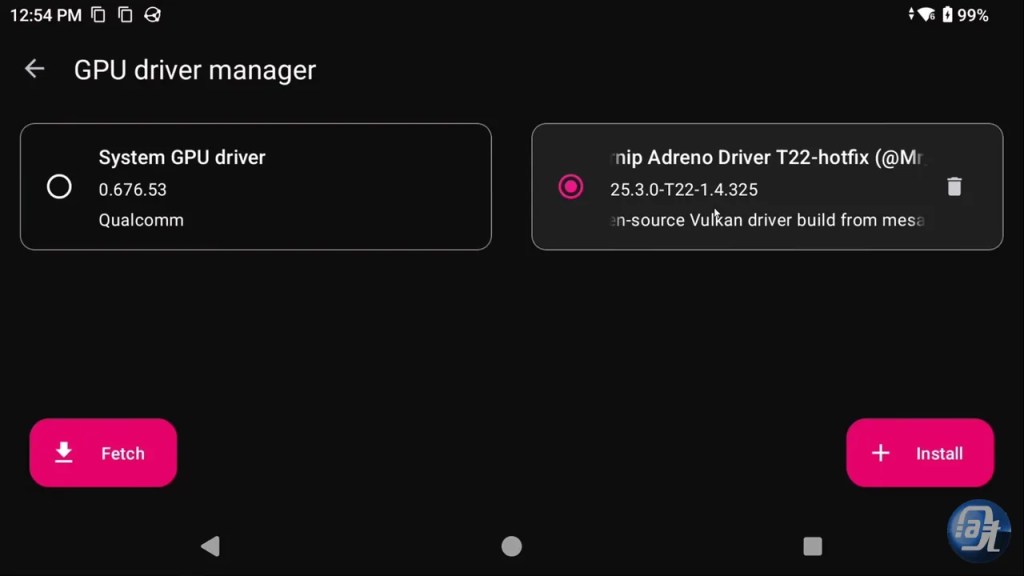
Stock GPU driver: Your phone’s default Adreno driver lacks the Vulkan memory extensions these experimental builds need, so pipeline creation fails silently and the game never starts rendering.
Shader compilation: On first launch, the emulator compiles shaders for the title. That can take several minutes and looks exactly like a hang. Killing the app mid-compile just forces it to start over next time.
Resolution too high: Rendering above native resolution on an experimental branch exhausts GPU memory fast, and the process dies before the first frame.
Fastmem mismatch: Fastmem settings that speed up one title can hang another during boot, especially with the experimental NX2 instruction overrides enabled.
Not enough RAM: With 8GB of RAM, Android’s Low Memory Killer can terminate the app the moment shader compilation spikes memory usage.
Bad game files: A corrupt or incomplete dump hangs at the same screen as a driver problem, which sends people chasing settings that were never the issue.
The Fix Checklist, in Order
Work through these one at a time, testing a launch after each change. Changing five settings at once is how you end up with no idea what actually fixed it.
1. Confirm you have a real build
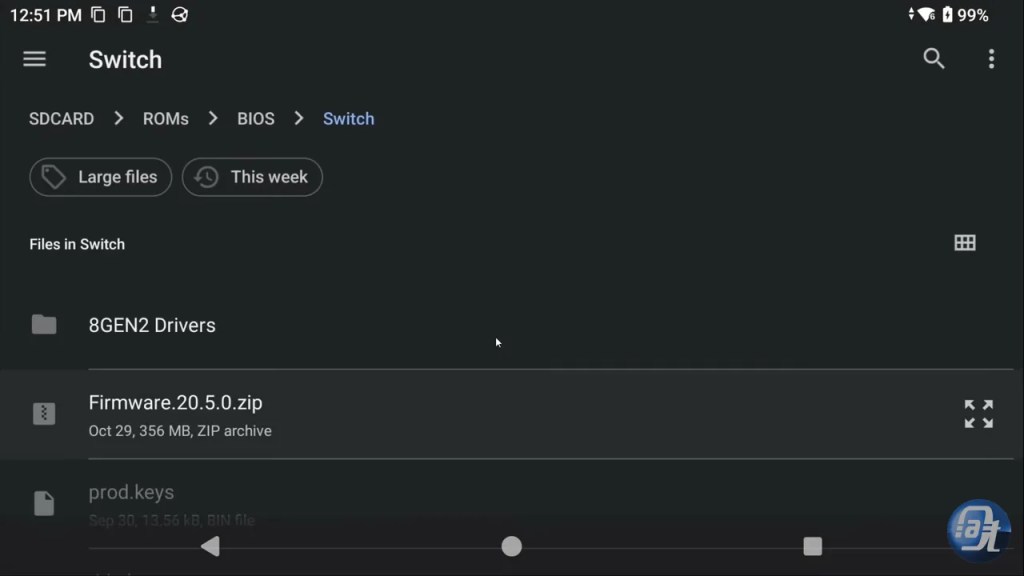
If your APK came from a third-party download portal, stop here. Uninstall it and read the fake-APK section below first. Real builds come only from community source repositories (such as the Takoroka dev trees) or pre-release artifacts on GitHub release tabs and official emulation Discord servers. There is no verified Google Play Store release of Eden NX2, and there never has been.
2. Install a Turnip driver
Open Settings, go to GPU Driver Manager, tap Install, and load a recent Mesa Turnip driver zip. This single step resolves more launching hangs than everything else combined, because the stock system driver is the most common point of failure. Turnip drivers only work on Qualcomm Snapdragon GPUs — MediaTek Dimensity, Google Tensor, and Samsung Exynos phones cannot use them, which brings us to the hard truth at the end of this guide.
3. Drop the resolution to native
Set rendering resolution to 0.75x or 1x native and turn off upscaling and FSR-style filters. Upscaling an experimental build is the fastest route to an out-of-memory crash during boot. Get the game launching first; worry about how pretty it looks later.
4. Enable the disk shader cache, then actually wait
Turn on Disk Shader Cache so compiled shaders are saved instead of rebuilt every launch. Then, on a first launch, give it several minutes before declaring a hang. Watch for signs of life: storage activity, a warming phone, or log output if your build shows it. If ten minutes pass with zero progress and one CPU core pinned at 100%, that is a real hang, not compilation.
5. Toggle fastmem and CPU accuracy
Set CPU accuracy to Auto or Unsafe, and make sure fastmem is enabled. If a title still hangs at boot, toggle fastmem off once as a test: if the game boots with fastmem off, you have found your culprit, and you can decide whether the slower boot is worth it for that title. If your build has a toggle for experimental NX2 instruction overrides, keep it off unless you are testing a specific homebrew binary.
6. Free up RAM and keep the phone cool
Close every other app before launching, and remove your phone case or use an active cooling fan. Thermal throttling during a long shader compile looks identical to a hang: frame times collapse, the process stalls, and eventually Android kills it. Testers report internal temperatures spiking above 43°C within minutes on unoptimized builds, so cooling is not optional decoration here.
7. Isolate the game file
Try booting a small homebrew applet first. If homebrew boots and your commercial title does not, the emulator is fine and the problem is that title’s files or its compatibility — check the compatibility picture before assuming your settings are broken. If nothing boots, not even homebrew, the problem is your driver, your build, or your hardware, and steps 1–6 are where the answer lives.
The Fake APKs Cashing In on the Hype
Search results for Eden NX2 right now are a minefield. Here is how to spot the fakes before they cost you money or your data:
Link-shortener surveys: Any download that routes you through a survey wall, a “human verification” step, or a countdown timer is not a real emulator build. Close the tab.
Notification permission demands: A site that refuses to show a download button until you allow browser notifications is harvesting you, not helping you.
Subscription traps and paid “pro” APKs: Eden NX2 and its forks are free, open-source software. Anyone charging for access, or locking the download behind a subscription, is repackaging someone else’s work.
Guaranteed performance claims: “60 FPS Mario Kart World on any Android phone, one-click APK” is a lie on its face. No build delivers that, and the claim itself is the tell.
No source anywhere: A real project has a Git repository, release notes, and a changelog. If a site cannot name the fork, the version, or the developer, there is nothing legitimate behind the download button.
If you already installed a suspicious APK, uninstall it, revoke any permissions it requested, and run a malware scan. Do not enter any account credentials into it, and do not grant it accessibility or device-admin permissions under any circumstances.
When to Stop and Wait
Some launching hangs have no settings fix, and that is not your fault. If your phone runs a MediaTek, Tensor, or Exynos chip, you cannot load Turnip drivers, and complex 3D titles will likely fail until official platform support exists. If your phone has 8GB of RAM, memory pressure alone can kill every launch regardless of settings. And if you are on an older Snapdragon, the Vulkan extensions these builds need may simply not be there.
In all three cases, the right move is the boring one: keep your stable Switch emulator for the games you actually want to play today, delete the experimental build, and wait for official, stable releases. The developers are moving fast — this scene is days old, not years — and the build that works on your phone will probably arrive through official channels, not through a download portal that asked you to complete a survey first.
Frequently Asked Questions
How long should a first launch take?
Several minutes is normal while shaders compile, especially on a first boot. Ten minutes with no progress and a CPU core pinned at 100% is a hang, not compilation — work through the checklist above.
Does clearing the shader cache fix the launching hang?
Sometimes, if the cache itself is corrupt. Clearing it forces a full recompile, so the next launch will be slower, but a clean compile can clear a hang caused by a bad cached shader. Only do this after the driver and resolution steps.
Is there a fixed Eden NX2 APK I can just download?
No. There is no official fixed release, no Play Store version, and no one-click APK. Anyone selling or gating one is running a scam — get builds only from Git repositories, GitHub release tabs, or official community Discord servers.
Why does homebrew boot but my game does not?
That points at the game file or that title’s compatibility, not your settings. Homebrew applets use basic 2D primitives and simple input mapping, while commercial titles stress the full shader and memory pipeline. Check compatibility reports for that specific title before changing more settings.

Axee Davies is the founder of AxeeTech, publishing gaming guides, codes, and Windows how-tos since March 2013. A tech enthusiast for 13+ years — starting with smartphones and Android rooting — he now runs a site that puts out a new guide every day for Roblox players, traders, and Windows users. More about AxeeTech
More Guides You May Like
 How to Fix Error Code is-eo-failed_op_start in the Epic Games Launcher
 a network error has occurred palworld: How to Fix the Palworld Network Error
 How to Fix samsung notes pc error sa_1036 on Windows
 ESD-USB: How to Create a Bootable USB from a Windows ESD File
 How to Use a Windows Spotlight Background Without the “Learn About This Picture” Icon
 Fix “Bootrec Fixboot Access Denied” on Windows 10 and 11
 adjudicator status ack’d by adjudicator
 How to Send blank whatsapp status symbol
