Do Not Stop Codes (November 2026): All 4 Free Credit Codes
Updated November 10, 2026: there are 4 working Do Not Stop codes right now. Newest:
LASTSTOP(250 Credits). We check the list against the official game page and in-game announcements every few days.
Do Not Stop codes give you free Credits in Do Not Stop, the Roblox game by make sure to drive fast. It has over 5,482,477 visits and about 12,875 players online when we checked. Below are all 4 working codes, how to redeem them and what each reward does.

Below you will find every active code, what each reward does, how to redeem it step by step, a beginner guide, and why a code might fail. Bookmark this page, because new codes usually drop with each update and like milestone.
All Active Do Not Stop Codes (November 2026)
These work right now. Type them exactly as shown, because codes in Do Not Stop are case-sensitive.
| Code | Reward | Status |
|---|---|---|
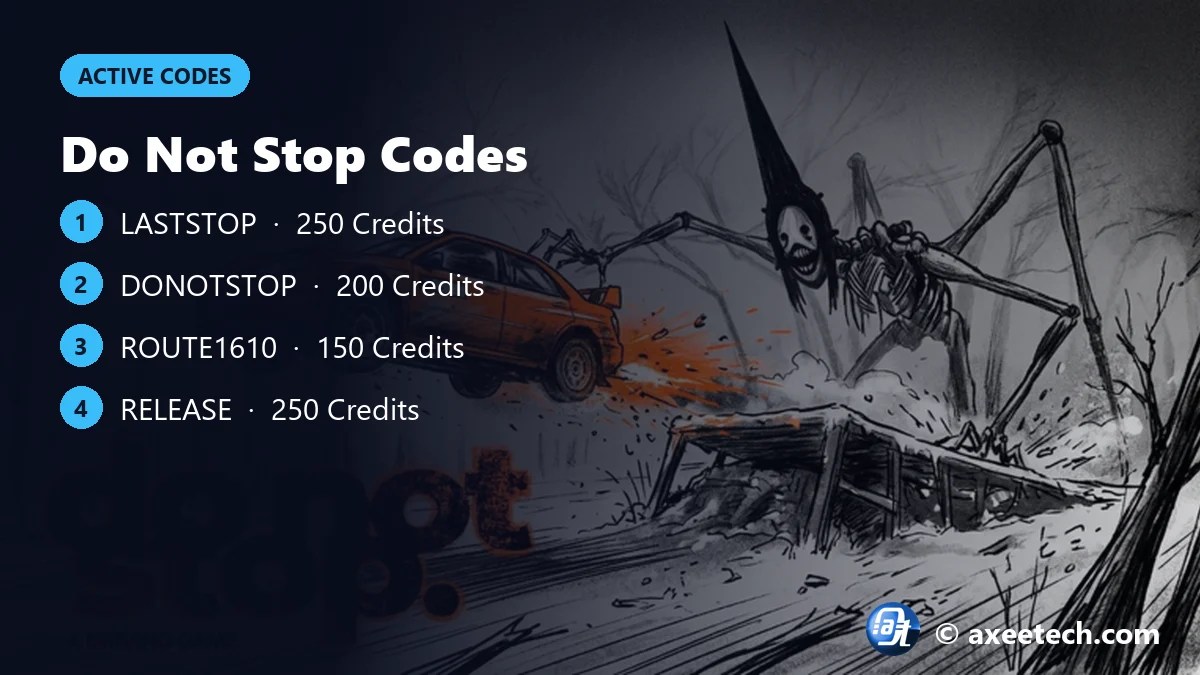
LASTSTOP | 250 Credits | New |
DONOTSTOP | 200 Credits | New |
ROUTE1610 | 150 Credits | Active |
RELEASE | 250 Credits | Active |
Expired Codes
No Do Not Stop codes have expired yet. Every code released since launch is still listed in the active table above.
How to Redeem Codes in Do Not Stop
Redeeming takes under a minute. Follow these steps:
- Open Do Not Stop on Roblox.
- In the lobby, click the GARAGE button on the left.
- Click CODES.
- Enter the code in the CODE box and click REDEEM.

Rewards are added instantly. If nothing happens, leave the game, rejoin a new server, and try again.
What the Code Rewards Do
Here is what each reward from the Do Not Stop codes actually does, so you know where to spend it:
- Credits: The garage currency. Spend it on new vehicles and upgrades so you can outrun the creature for longer.
About Do Not Stop on Roblox
Do Not Stop is a Roblox driving horror game by “make sure to drive fast”, released on October 25, 2026. It is inspired by analog horror stories: you must keep your vehicle moving at all costs, because a creature is always hunting you. If you stop, it catches you.
All four codes together give 850 Credits, which is enough for an early vehicle upgrade.
| Detail | Info |
|---|---|
| Developer | make sure to drive fast |
| Released | 2026-10-25 |
| Last game update | 2026-11-12 |
| Total visits | 5,482,477+ |
| Players online (when we checked) | 12,875 |
| Official page | Do Not Stop on Roblox |

Best Tips After You Redeem
Once you claim the Do Not Stop codes rewards, these tips help you get the most out of them:
- Redeem all four codes in the lobby before your first drive.
- Spend Credits on speed first. Stopping is the only way to lose.
- Plan your route before turns so you never have to brake hard.
- Play with friends so more people watch the road.
Why a Code Is Not Working
If one of the Do Not Stop codes fails, it is almost always one of these reasons:
- Typing mistake: codes are case-sensitive. Copy them from the table above instead of typing by hand.
- Already used: every code works only once per Roblox account.
- Expired: developers retire codes without warning. Check the expired list above.
- Old server: new codes sometimes need the latest game version. Leave and join a new server.
How to Get New Codes First
New Do Not Stop codes usually come with like and visit milestones and with updates. Check the official Do Not Stop Roblox page and this page after each update.
More Codes and Guides
Finished with the Do Not Stop codes? These pages are updated just as often:
- Practical Basketball Codes
- Cameraman Tower Defense Codes
- A Bizarre Run Codes
- Grow a Garden Codes
- King Legacy Codes
FAQ
What is the newest Do Not Stop code?
LASTSTOP, for 250 Credits.
How many Do Not Stop codes are there?
4 working codes as of November 12, 2026. None have expired yet.
Where do I redeem Do Not Stop codes?
In the lobby, click the GARAGE button on the left. Click CODES. Enter the code in the CODE box and click REDEEM.

Axee Davies is the founder of AxeeTech, publishing gaming guides, codes, and Windows how-tos since March 2013. A tech enthusiast for 13+ years — starting with smartphones and Android rooting — he now runs a site that puts out a new guide every day for Roblox players, traders, and Windows users. More about AxeeTech
More Codes You May Like
 10 Best MM2 Script (2026): Features, How to Use and FAQs
 Lords Mobile Codes (November 2026): Working Redeem Codes & How to Use Them
 +1 Venom Evolution Codes (November 2026): 2x Venom, Chests and Revives
 Turbo Soccer Codes (November 2026): Free Epic Packs
 Sell Fries Codes (November 2026): Free Spins and Boosts
 Cat Battles Codes (November 2026): 12 Free Coin and Grave Skip Codes
 Throw Food For Animals Guide (2026): Areas, Best Food and Training Tips
 Throw Food For Animals Tier List (November 2026): Best Animals Ranked
