Cobblemon Beginner Guide: How to Play, Commands and Starters (Minecraft)
Cobblemon puts real Pokémon gameplay inside Minecraft: catch wild Pokémon in the blocky overworld, battle with accurate mechanics, level them up, evolve them, and ride some of them. This Cobblemon beginner guide covers what the mod is, how to install it, how to play, the essential commands, and starter tips.
What Is Cobblemon?
Cobblemon is a free, open-source mod for Minecraft: Java Edition that adds Pokémon to the game. It is a full creature-catching mod with over 800 Pokémon, battles powered by the Pokémon Showdown engine, and Legends Arceus-style touches like relearning moves, physically running from battles, and evolving your Pokémon when you decide.
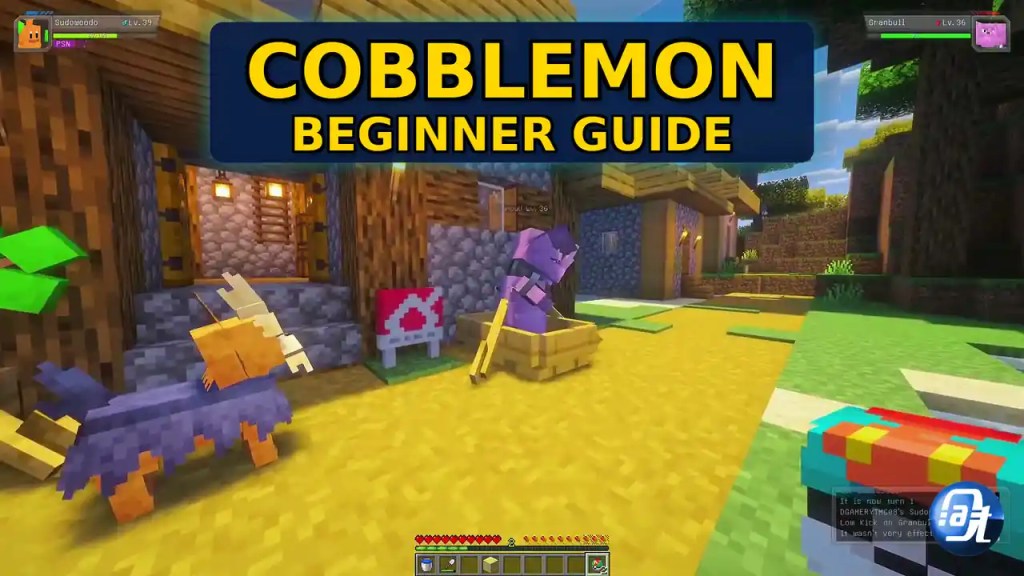
Pokémon spawn naturally across your world based on biomes. You catch them, train them by battling, trade and battle with friends in multiplayer, store extras in a PC, and even ride certain Pokémon across land, sea, and sky. There are Alpha Pokémon to hunt, berries to grow, fossils to revive, and a Pokédex with a scanning feature. This cobblemon beginner guide covers each of these systems. All Pokémon from generations 1 to 9 can spawn and be battled, though ones without a finished model show as a substitute doll.
Two things to know up front. First, Cobblemon only works on Minecraft: Java Edition, not Bedrock Edition (consoles, phones, the Windows store version). Since it is Java only, none of the Bedrock Marketplace economy applies, so you can ignore our Minecraft Minecoins codes guide for this one. Second, the latest version targets Minecraft 1.21.1, according to the official wiki.
Cobblemon Beginner Guide: How to Install Cobblemon (Step by Step)
The easiest way to install Cobblemon is through an official modpack, which bundles the mod with the right loader and dependencies. The official wiki recommends the Modrinth App, Prism Launcher, or the CurseForge App. Here is the Prism Launcher method:
- Download Prism Launcher from its official website and install it. Run it, pick your language, and point it at your javaw instance if it asks.
- Give it enough RAM. In the launcher settings, raise the memory allocation to at least 4096 MiB. Modded Minecraft with Cobblemon needs the headroom.
- Add an instance. Click “Add Instance”, pick “Modrinth” on the left, and search for “Cobblemon”. Install an official modpack: Cobblemon [Fabric] or Cobblemon [NeoForge].
- Log in. Click “Profiles”, then “Manage Accounts”, then “Add Microsoft”, and sign in with the Microsoft account that owns Minecraft: Java Edition.
- Double-click the instance to play. The launcher downloads everything and starts the game with Cobblemon ready to go.
Prefer CurseForge? Download the standalone CurseForge App (“Download Standalone” skips the extra Overwolf software), search “Cobblemon” in modpacks, install an official modpack, and hit Play. Full walkthroughs are on the official Cobblemon installation guide.
Picking Your Starter Pokémon
The first time you join a world with Cobblemon installed, the starter selection screen opens automatically and asks you to pick your first Pokémon. In this cobblemon beginner guide, there is no wrong answer. Every classic starter, from Bulbasaur, Charmander, and Squirtle through Sprigatito, Fuecoco, and Quaxly, also spawns in the wild, so you can catch the ones you skipped later.
A practical tip from this cobblemon beginner guide: grab a couple of extra catches fast. Weaken wild Pokémon in battle and throw Poké Balls until you have a small team. If you ever close the starter screen by accident, an admin can reopen it with /openstarterscreen.
How to Play: Controls and Basics
This cobblemon beginner guide starts with the basics: Cobblemon keeps the Minecraft controls you know and adds Pokémon mechanics on top:
Send out and recall your Pokémon. Your party shows in a HUD on the side of the screen. Select a Pokémon and throw its Poké Ball to send it out, or recall it when done.
Catch wild Pokémon. As this cobblemon beginner guide explains, weaken a wild Pokémon in battle first, then throw a Poké Ball at it. Lower HP, status effects like sleep or paralysis, and better balls (Great Balls, Ultra Balls) all raise your odds. Craft balls from apricorns grown on apricorn trees, so plant those early and stock up before long trips.
Battle. Walk your sent-out Pokémon into a wild Pokémon to start a turn-based battle with accurate type matchups and abilities. You can keep moving around the world during battles. Win to earn experience, learn new moves as you level up, and evolve when ready.
Heal up. Keep healing items handy, or brew medicine from crops and berries at a brewing stand. With cheats enabled, /healpokemon fully heals your party instantly.
Store extras in the PC. Your party holds six Pokémon. Everything else goes to the PC, which you can open from anywhere with /pc.
Ride your Pokémon. Many larger Pokémon are rideable. Release it from its ball, then crouch and right-click it to open the radial menu and choose “Ride”. To dismount, press R while that Pokémon is selected in your party HUD. As this cobblemon beginner guide notes, flying mounts are the fastest way to scout new biomes.
All Essential Cobblemon Commands
This cobblemon beginner guide treats commands as optional: they mostly need cheats or operator permissions on a server, per the official wiki. The one exception is /abandonmultiteam, which every player can use:
| Command | What it does |
|---|---|
| /spawnpokemon <pokemon> [attributes] | Spawns a Pokémon at your position. Example: /spawnpokemon abra shiny |
| /givepokemon <pokemon> [attributes] | Gives a Pokémon directly to you |
| /pokemonedit <slot> [attributes] | Edits a Pokémon in your party |
| /healpokemon [target] | Fully heals a party |
| /pc | Opens your PC storage from anywhere |
| /stopbattle <target> | Force-ends a stuck battle |
| /levelup <target> <slot> | Raises a party Pokémon by one level |
| /teach <target> <slot> <move> | Teaches a move to a party Pokémon |
| /friendship <slot> | Checks a party Pokémon’s friendship level |
| /openstarterscreen <target> | Reopens the starter selection screen |
| /pokedex grant <player> all <dex> | Grants Pokédex entries in bulk |
| /abandonmultiteam | Leaves your multi-battle team. Every player can use this one |
Warning: /pokemonrestart wipes your party and PC with no confirmation. Only use it to truly start over. A full list of admin and NPC commands is on the complete Cobblemon commands list.
Starter Tips for New Players
These cobblemon beginner guide tips focus on the first few days of a new world.
- Catch early, catch often. Your starter alone will struggle. Build a team of four to six with different types.
- Plant apricorn trees on day one. Balls are your most-used resource. A farm near your base keeps you stocked.
- Learn type matchups. Type advantages are punishing. Check a type chart until the common ones stick.
- Use the Pokédex scanner. Scan wild Pokémon to see their level before you commit to a fight.
- Do not fight Alphas unprepared. Alpha Pokémon are oversized and high-level. Bring a full healed team and plenty of balls.
- Build a real base. Pastures, berry farms, and a battle arena are worth the effort. Our Minecraft Shape Generator plans clean round builds block by block.
- Play with friends. Cobblemon supports trading and battling with other players. To run your own world, you can host your own Minecraft Java Edition server with the modpack on it.
- Keep a stuck-battle fix handy. If a battle freezes, /stopbattle ends it cleanly.
Follow these Cobblemon beginner guide tips and you will have a strong team quickly.
Frequently Asked Questions
Is Cobblemon free? Yes. The mod and official modpacks are free, and this cobblemon beginner guide is free to follow. You need a legitimate copy of Minecraft: Java Edition.
Does Cobblemon work on Bedrock, consoles, or mobile? No, it is Java Edition only, as this cobblemon beginner guide explains.
Can I play Cobblemon on a server with friends? Yes. Install the same official modpack on the server and every player, then trade, battle, and explore together.

Axee Davies is the founder of AxeeTech, publishing gaming guides, codes, and Windows how-tos since March 2013. A tech enthusiast for 13+ years — starting with smartphones and Android rooting — he now runs a site that puts out a new guide every day for Roblox players, traders, and Windows users. More about AxeeTech
More Guides You May Like
 Minecraft Shape Generator: 8 Easy Shapes for Perfect Builds
 GETSOCKOPT Minecraft Error: 14 Fixes for LAN, Servers, and 2026 Versions
 Guide to fix Pokemon Center Error 17 [Payment Fixes]
 BreakDoor Codes (October 2026)- All working Codes
 Pips Hint Today: Hints and Answers for October 14, 2026
 Waffle Game Answers Today: Hints and Solution for October 14, 2026
 Ratatan Release Date, Time, Platforms and Price (2026)
 Songless Answers Today: Hints and Solution for October 14, 2026