mo2 ssl error: How to Fix the Mod Organizer 2 Nexus SSL Error
The mo2 ssl error is a connection failure in Mod Organizer 2 (MO2) that stops MO2 from logging in to Nexus Mods and downloading mods. MO2 may show an SSL error on startup, fail to connect to Nexus, or leave downloads stuck in pending status, even though nexusmods.com opens normally in a web browser.
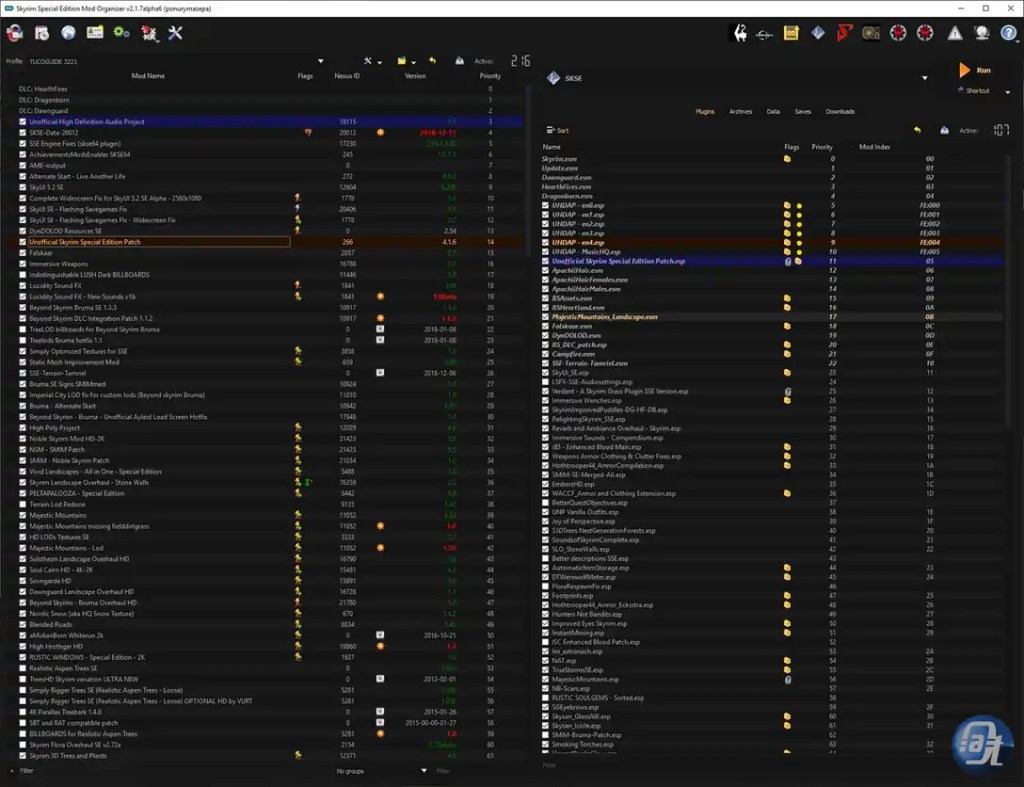
What the MO2 SSL Error Looks Like
Players have reported the error in these forms:
- An SSL error when MO2 tries to connect to Nexus, for games including Skyrim and Fallout 4.
- “Failed to request file info from nexus: SSL handshake failed.”
- Log lines such as “nexus: ssl errors,” “The certificate has expired,” and “Nexus API validation failed: SSL error.”
- Downloads that will not start and stay in pending status.
This is a connection and certificate-trust problem, not a problem with your mod list or load order. MO2 itself can still run; it is the secure connection to Nexus that fails.
Why the MO2 SSL Error Happens
The widely reported outbreak began on May 28, 2026, when Nexus Mods rotated its SSL certificate. The official MO2 GitHub issue for the problem is titled as a login failure caused by an outdated Windows TLS root CA.
In short, MO2’s connection to Nexus failed certificate validation after the rotation: the certificate chain Nexus presented was not trusted by the SSL/TLS setup MO2 was using on affected systems. That is why the browser could still reach Nexus while MO2 could not — the browser and MO2 were not using the same trusted certificate store. Users on MO2 2.5.2 were heavily affected, while reports indicated MO2 2.5.3 and beta builds worked fine.
A related cause reported by individual users is a conflicting SSL library from another program. One report noted that installing KeePass XC with its Windows environment-path option caused MO2 to pick up the KeePass copy of libssl-3-x64.dll and fail to start. If you have recently installed software that puts its own SSL libraries on the system path, keep that in mind when working through the fixes below.
How to Fix the mo2 ssl error, Simplest First
Work through these in order, and test the Nexus connection in MO2 after each one. Close MO2 before changing any files in its install folder, and prefer renaming or moving a file to a backup location over deleting it, so you can restore it.
Fix 1: Clear the Windows SSL State
This is the first solution recommended in the official MO2 GitHub issue, and it is reported to normally be enough on its own.
- Close MO2.
- Open Internet Options in Windows.
- Go to the Content tab.
- Click Clear SSL state.
- Restart MO2 and try logging in to Nexus again.
If clearing the SSL state does not work, the GitHub issue notes that you may be missing the ISRG Root X2 certificate and may need to install it manually. Detailed manual-install steps for that certificate are UNVERIFIED for this guide, so they are not listed here — use the official certificate provider’s own instructions if you go this route.
Fix 2: Rename the Bundled libssl-3-x64.dll File
This community workaround was widely reported as working on MO2 2.5.2, including by multiple users in the Nexus Mods forum thread on this error.
- Close MO2 completely.
- Open your MO2 install folder (the folder containing the MO2 program files).
- Find
libssl-3-x64.dllin the root of that folder. - Rename it, for example to
libssl-3-x64.dll.bak, or move it to a backup folder outside the MO2 folder. - Restart MO2 and log in to Nexus again.
The reported explanation is that MO2 then falls back to the default Windows SSL library, which trusts the new Nexus certificate. Do not download a replacement DLL from a random website. If this fix does not help, restore the original file name before trying the next fix.
Fix 3: Remove the qopensslbackend.dll File (MO2 2.5.0 to 2.5.2)
The official GitHub issue lists removing qopensslbackend.dll as a solution for MO2 2.5.0 up to 2.5.2, and the same step was shared from MO2 Discord discussion and confirmed by Steam forum users.
- Close MO2 completely.
- Open your MO2 install folder.
- Go into the
dlls/tls/folder inside it. - Move
qopensslbackend.dllout of that folder to a safe backup location (or rename it so MO2 no longer loads it). - Restart MO2 and try the Nexus connection again.
Per the Discord clarification quoted in the Steam thread, no other steps should be needed alongside this one. If it does not help, restore the file to its original location.
Fix 4: Update MO2 to 2.5.3
Updating is the most involved fix, but it is the cleanest long-term one: reports on the Step Mods forums and in the Steam discussion indicated that MO2 2.5.3 worked where 2.5.2 showed the SSL error.
- Back up your MO2 install and, if you use a portable setup, your instance data before updating.
- Download MO2 2.5.3 from the official Mod Organizer 2 source.
- Install or extract it following the official instructions for your setup.
- Start MO2 and test the Nexus login and a download.
If you update and still see the error, return to Fixes 1–3 on the new install, since some users reported needing the DLL workaround even on newer builds.
What to Check If Nothing Above Works
- Confirm the problem is the Nexus connection, not your whole internet connection: if nexusmods.com loads in your browser but MO2 still cannot connect, the issue is MO2’s certificate trust, not general connectivity.
- Check whether another program has placed its own
libssl-3-x64.dllon the Windows path. The KeePass XC case above is one reported example; uninstalling and reinstalling that program without the environment-path option resolved it for that user. - Wait and retry later if Nexus is having a wider outage, and check the official MO2 GitHub issue for updates rather than editing more files at random.
MO2 SSL Error FAQs
What is the mo2 ssl error?
The mo2 ssl error is a failure of Mod Organizer 2’s secure (SSL/TLS) connection to Nexus Mods. MO2 cannot validate the certificate chain for the Nexus connection, so login and downloads fail even though the Nexus website may work in a browser.
Does the mo2 ssl error affect all games in MO2?
No single game is the cause. Reports covered multiple games, including Skyrim and Fallout 4,
because the failure is in MO2’s Nexus connection, which is shared across instances. https://axeetech.com/high-poly-head-mod/
Is the mo2 ssl error caused by my Nexus account or password?
No evidence in the sources points to account or password problems. Users reported the same failure after restarting MO2, and the fixes that worked were certificate and SSL-library fixes, not account changes. Do not change your password as a first step for this error.
Which fix for the mo2 ssl error should I try first?
Start with clearing the Windows SSL state (Fix 1). It is the first solution recommended in the official GitHub issue, it changes no MO2 files, and it is reported to normally be enough. Only move on to renaming or removing DLL files if it does not work.
Is it safe to rename libssl-3-x64.dll or remove qopensslbackend.dll?
The sources report both steps as working workarounds, but you should rename or move the files to a backup location rather than permanently deleting them, so you can restore them. If a later MO2 update replaces or restores these files, that is expected — test the Nexus connection again after updating.
Will updating MO2 fix the mo2 ssl error permanently?
Updating to MO2 2.5.3 was reported to resolve the error for many users on 2.5.2, and it is the best long-term step. It is not guaranteed for every system, however — some users still needed a DLL workaround — so keep Fixes 1–3 in mind if the error returns after a future certificate rotation.
Can I still install mods manually while the mo2 ssl error persists?
Older reports of MO2 Nexus login failures noted that manual downloads and installation still worked even when the in-app Nexus connection failed. That is a workaround for getting a mod installed, not a fix for the SSL error itself, and manual installation is outside the scope of the verified fixes above.

Axee Davies is the founder of AxeeTech, publishing gaming guides, codes, and Windows how-tos since March 2013. A tech enthusiast for 13+ years — starting with smartphones and Android rooting — he now runs a site that puts out a new guide every day for Roblox players, traders, and Windows users. More about AxeeTech
More Guides You May Like
 a network error has occurred palworld: How to Fix the Palworld Network Error
 How to Fix samsung notes pc error sa_1036 on Windows
 ESD-USB: How to Create a Bootable USB from a Windows ESD File
 How to Use a Windows Spotlight Background Without the “Learn About This Picture” Icon
 Fix “Bootrec Fixboot Access Denied” on Windows 10 and 11
 adjudicator status ack’d by adjudicator
 How to Send blank whatsapp status symbol
 500 Robux to USD: How Much Is 500 Robux Worth? ($1.90 in 2026)