Mobile Optimization for Shopify: 7 Ways to Improve Conversions in 2026
Over 70% of eCommerce traffic now comes from mobile devices, yet many Shopify stores still aren’t fully optimized for mobile shoppers. A clunky experience on smartphones and tablets can hurt conversion rates, increase bounce, and damage brand perception.
In 2026, mobile optimization is no longer optional—it’s essential.
In this article, we’ll cover 7 proven mobile optimization strategies every Shopify merchant should implement to boost mobile conversions, reduce friction, and create a seamless user experience. These tips are backed by insights from VT Labs, a Shopify Plus development agency specializing in performance and usability.
1. Use a Mobile-Responsive Theme
Start with the foundation. A mobile-responsive theme adjusts to different screen sizes automatically, ensuring a smooth browsing experience for mobile users.
Recommended themes:
- Dawn – Shopify’s free default theme
- Impulse, Motion, or Broadcast – premium themes optimized for performance
Bonus tip: Avoid themes packed with unnecessary animations or heavy scripts—they slow things down on mobile.
Also Check: ETL Process Optimization
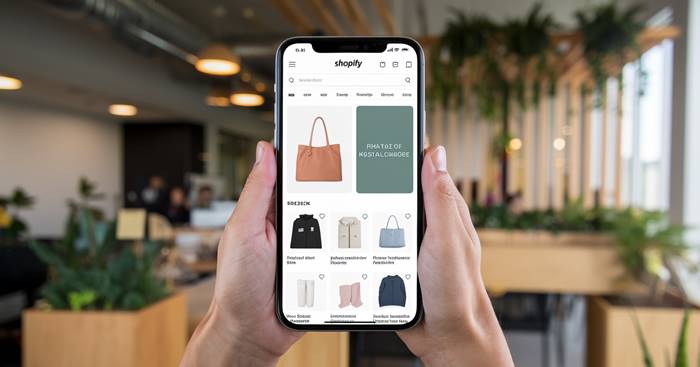
2. Speed Up Your Site for Mobile
Mobile users expect speed. If your store takes more than 3 seconds to load, most visitors will bounce. Optimize images, minimize scripts, and use lazy loading to keep things fast.
Tools to help:
- TinyIMG
- Shopify Analyzer by SpeedBoostr
3. Simplify Navigation for Smaller Screens
Make your menu simple, intuitive, and thumb-friendly. Use collapsible menus (hamburgers), clear CTAs, and reduce the number of clicks needed to find products.
Pro tip: Keep your search bar easily accessible at the top of the page.
4. Optimize Product Pages for Mobile
Product pages should load quickly, display essential information first, and have tap-friendly buttons. Avoid overcrowding with long blocks of text or oversized elements.
Checklist:
- Fast-loading images
- “Add to Cart” button above the fold
- Mobile-friendly tabs or accordions for product details
5. Enable Mobile Wallets and Fast Checkout
Speed matters—especially on mobile. A slow or complicated checkout process is one of the top reasons for cart abandonment. By offering Shop Pay, Apple Pay, and Google Pay, you give shoppers the ability to check out with just a few taps—no need to type in credit card details or shipping info.
These mobile wallets are built into Shopify Payments, so activating them is simple if you’re using Shopify’s native payment processor.
For more advanced needs—like one-page checkouts, upsell integrations, or post-purchase flows—Shopify Plus or custom development by experts like VT Labs can unlock powerful checkout enhancements tailored to your business.
6. Use Sticky Add-to-Cart Buttons
On mobile, scrolling down often hides the “Add to Cart” button. A sticky cart button keeps it visible at all times—improving usability and reducing drop-off.
Apps to use:
- Sticky Add To Cart BOOSTER PRO
- UFE Cross Sell & Upsell
7. Test on Real Devices (Not Just Simulators)
Always test your site on actual phones and tablets. Tools like Chrome DevTools are helpful, but real-world use can reveal issues like:
- Thumb positioning problems
- Font readability
- Popup or modal overlaps
Set up heatmaps using tools like Hotjar or Microsoft Clarity to track mobile behavior and identify friction points.
Final Thoughts
Your mobile users aren’t just browsing—they’re buying. But only if the experience is smooth, fast, and tailored to smaller screens. With the right optimization strategies, your Shopify store can turn mobile traffic into mobile revenue.
Want help making your Shopify store mobile-first and lightning fast? Talk to the Shopify custom development experts at VT Labs—we build custom Shopify experiences that convert on every device.

Is a freelance tech writer based in the East Continent, is quite fascinated by modern-day gadgets, smartphones, and all the hype and buzz about modern technology on the Internet. Besides this a part-time photographer and love to travel and explore. Follow me on. Twitter, Facebook Or Simply Contact Here. Or Email: info@axeetech.com