Hall Effect Switches Explained: What They Are and Best Keyboards (2026)
Mechanical keyboards used the same simple design for decades. Two pieces of metal touched each other, and the press registered. Hall effect switches throw that idea out. They use magnets instead of metal contacts.
The result is a keyboard that senses exactly how far down you press. That opens the door to rapid trigger and analog input, two features competitive gamers love.
What Is a Hall Effect Switch?
A hall effect switch detects presses with a magnet and a sensor. Every switch has a tiny magnet under the stem. The circuit board holds a Hall sensor under each one. When you press down, the magnet moves closer to the sensor. The sensor reads the shift in the magnetic field and reports the exact press position.
Here is why that matters. A normal mechanical switch knows only two states: up or down. A hall effect switch reads the full travel, from 0.1 mm down to about 4.0 mm. The keyboard samples that position hundreds of times per second.
The effect is named after physicist Edwin Hall, who discovered it in 1879. It went mainstream in gaming boards in the late 2010s with the Wooting One and SteelSeries Apex Pro.

Hall Effect vs Mechanical Switches
Let’s break it down. The table below shows how the two designs compare.
| Hall Effect | Mechanical | |
|---|---|---|
| Detection | Magnet and Hall sensor | Metal contact leaves |
| Actuation point | Adjustable, 0.1 to 4.0 mm | Fixed by the switch design |
| Rapid trigger | Yes | No |
| Analog input | Yes | No |
| Rated lifespan | 100 million presses or more | 50 to 80 million presses |
| Price | Higher | Lower |
The biggest practical difference is the adjustable actuation point. On a hall effect board you decide how far switches travel before they register. Set movement switches to a light 0.5 mm touch and ability switches to a deep 3.0 mm press. A mechanical board locks you to whatever the switch maker chose.
The second big difference is speed. Because the sensor reads position all the time, features like rapid trigger become possible. A mechanical switch cannot do that, since it only reports on and off.
What Is Rapid Trigger?
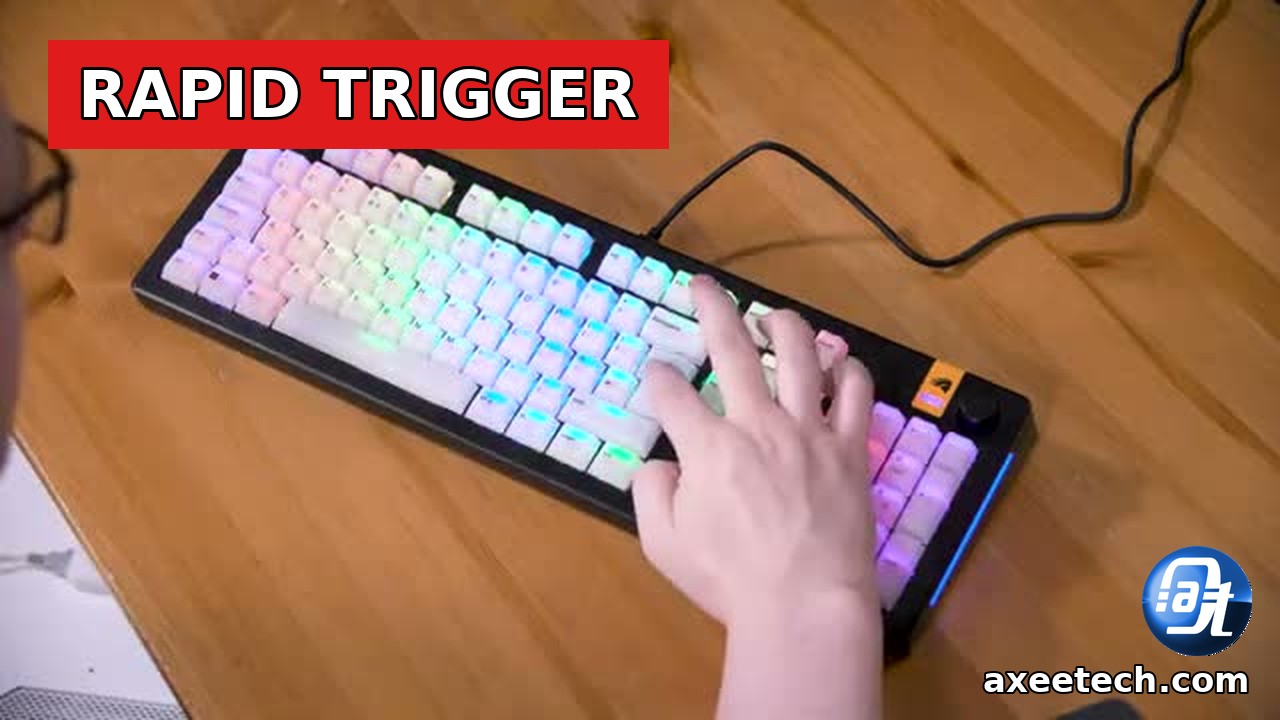
Rapid trigger is the headline feature of hall effect keyboards. On a normal keyboard, switches must rise past a fixed reset point before you can press them again. Rapid trigger drops that fixed point. Switches reset the moment you start lifting your finger, and they fire again the instant you press back down.
This makes repeated presses far faster. In shooters like Counter-Strike 2 and Valorant, strafing feels snappier because the board reacts to tiny finger movements. Counter-strafing becomes easier and more consistent for many players. Valorant gains a lot from rapid trigger. On Apple hardware, check whether you can play Valorant on a Mac before you buy.
You can tune the sensitivity for individual switches. Keep WASD on a hair trigger, and set chat switches deeper so stray taps do not fire them. Fast-paced Roblox games benefit too. Grab free items from our Roblox promo codes page.
More Advantages Worth Knowing
- Analog input. Games that support it can read partial presses, so switches work like controller triggers. Racing games benefit the most.
- Adjustable actuation. Change the press depth for different switches or game profiles without opening the board.
- Longer life. No contacts means no contact wear. Most boards rate their switches at 100 million presses or more.
- No debounce delay. Mechanical switches bounce on contact, and the board waits a few milliseconds to filter the noise. Magnetic sensing skips that wait.
- Even feel. Every switch reads from the same sensor type, so actuation stays consistent across the board.
PC gaming keeps growing year after year. Our gaming statistics for 2026 show how big the market for gear like this has become.
The Downsides
Hall effect keyboards cost more than standard mechanical boards. Budget models start near $100, and flagships pass $200.
You also rely on software. Rapid trigger and actuation tuning run through the maker’s app, so a buggy app ruins the experience.
Switch choice stays limited, and analog input needs game support. As mentioned on a reddit thread, a few brands now sell compatible magnetic switches, so the market is opening up.
Best Hall Effect Keyboards in 2026
Here are the boards worth your money right now, from budget picks to tournament-ready flagships.
| Keyboard | Size | Actuation Range | Price (approx.) | Best For |
|---|---|---|---|---|
| Wooting 60HE+ | 60% | 0.1 to 4.0 mm | $175 | Competitive FPS players |
| Razer Huntsman V3 Pro | Full-size / TKL | 0.1 to 4.0 mm | $220 | Razer gear owners |
| SteelSeries Apex Pro Gen 3 | Full-size / TKL | 0.1 to 4.0 mm | $240 | Loaded flagship |
| Keychron K2 HE | 75% | 0.2 to 3.8 mm | $130 | Mac and Windows users |
| Corsair K70 Max | Full-size | 0.1 to 4.0 mm | $230 | Corsair iCUE users |
| DrunkDeer A75 | 75% | 0.1 to 4.0 mm | $99 | Budget pick |
Our picks: the Wooting 60HE+ for most gamers, thanks to its software and big profile-sharing community. Razer and Corsair owners should stick with their brand’s board for one-app control. The Keychron K2 HE suits Mac users, and the DrunkDeer A75 is the cheapest way in. Pair your new board with the right display. Our 1080p vs 1440p comparison helps you pick a monitor to match.

How to Choose the Right One
Next steps. Work through this short list before you buy:
- Pick a size. 60% and 75% boards free up mouse space for low-sensitivity aimers. Full-size keeps the numpad for work and MMOs.
- Set a budget. Decide between the cheapest usable board and the best software experience.
- Check the software. Read recent reviews of the maker’s app. You will live in it during setup.
- Wired or wireless. Most hall effect boards are wired for the lowest delay. A few offer wireless for everyday use.
We cover PC gear like this on a regular basis at AxeeTech. Read more about us and how we put hardware through its paces.
Frequently Asked Questions
Are hall effect keyboards good for typing?
Yes, for most people. Set a deeper actuation point, around 2.0 mm, and they feel like smooth linear switches.
Do hall effect keyboards work on consoles?
They work as standard USB keyboards on PlayStation 5 and Xbox Series X/S. Rapid trigger still works because the board handles it in hardware. For controller play on the same console, see our guide to using a PS4 controller on PS5.
Are hall effect keyboards allowed in esports tournaments?
Most tournaments allow them. A few organizers have restricted specific input features, so check the rulebook of your event before you compete.
How long do hall effect switches last?
Most makers rate them at 100 million presses or more. Since no metal contacts touch inside the switch, there is almost nothing to wear out.
Do I need the software running all the time?
No. Most boards save your settings to onboard memory. Set up rapid trigger and actuation once, then close the app.

Axee Davies is the founder of AxeeTech, publishing gaming guides, codes, and Windows how-tos since March 2013. A tech enthusiast for 13+ years — starting with smartphones and Android rooting — he now runs a site that puts out a new guide every day for Roblox players, traders, and Windows users. More about AxeeTech
More Tech You May Like
 Free VIN Lookup Tool: Decode Any VIN Instantly (NHTSA Data)
 JoinPD.com: How to Join a Pear Deck Session With a Code (2026 Guide)
 Marvel Digital: 7 Easy Ways to Read & Watch (2026)
 Cracked Mac Screen: 9 Easy Fixes & Repair Costs (2026)
 Switch 2 Battery Life: How Long It Lasts and How to Charge It
 Steam Deck Charging: Watts, Charger and Charge Time Explained
 Switch 2 Game-Key Card Explained: How It Works and Whether to Buy One
 How to Check Your BIOS Version in Windows (3 Easy Ways)