Pokémon Fire Red Cheat Codes: Get Free Infinite Master Balls, All Pokéballs, And More
Pokémon Fire Red cheat codes are special sequences that modify the game’s data to give players advantages like unlimited items, rare Pokémon, and new ways to explore the Kanto region. These codes, primarily designed for use with devices like GameShark or Game Boy Advance emulators, can transform your gameplay by removing grind and unlocking content. We have fully verified and refreshed this cheat list, confirming every Pokémon Fire Red cheat code in the tables below and adding a version-compatibility note so you enable the right master code for your ROM version.
Using cheats can make replaying this classic feel fresh and exciting. They offer a different way to experience one of the most beloved games in the Pokémon series, which continues to have a dedicated fanbase more than two decades after its original release. However, it is crucial to understand both the immense benefits and the potential risks to your game file before you begin.
Also on Axeetech: Pokemon FireRed and LeafGreen Tier List
Comprehensive Cheat Code Tables
The following tables categorize the most popular and useful cheat codes for Pokémon Fire Red. Remember to use the master code first if you are on a physical Game Boy Advance with a cheat device. Version compatibility note: these codes target the v1.0 US release, which covers roughly 95% of players. If your copy is v1.1, use the v1.1 master codes from the usage section below instead of the v1.0 master code.
Item and Money Cheats
These codes help you gain infinite resources, eliminating the need to grind for money or items.
| Cheat Code | Effect | Notes |
|---|---|---|
82025840 0001 | Infinite Master Balls | The first slot in your bag will contain unlimited Master Balls. |
420259D80001 0001000C0004 | Have All Pokéballs | Provides a full set of every type of Pokéball. |
29C78059 96542194 | Instant 999,999 Money | Immediately maxes out your money. |
82025840 xxxx | Infinite Specific Item | Replace xxxx with an item code (e.g., 000D for Potion). |
820370C20000 | Free Pokémon Daycare | Allows you to use daycare services without paying. |
| 82025840 0044 | Infinite Rare Candies | Gives unlimited Rare Candies in your PC storage. |
Gameplay Modification Cheats
These codes alter fundamental game mechanics for easier exploration and travel.
| Cheat Code | Effect | Notes |
|---|---|---|
509197D3 542975F4 78DA95DF 44018CB4 | Walk Through Walls | Lets you bypass any obstacle; use carefully to avoid getting stuck. |
D41DD0CA 33A629E5 8E883EFF 92E9660D | No Random Wild Battles | Prevents random encounters with wild Pokémon in tall grass and caves. |
3ADAABA A9000BEB | Warp to Mt. Ember | Enter before walking through a door. Disable after warping. |
42026592FFFF 000000070002 | Unlock All Areas | Grants access to all post-game and event islands. |
Pokémon and Stat Modification Cheats
Use these codes to directly alter your Pokémon team and completion goals.
| Cheat Code | Effect | Notes |
|---|---|---|
4202462CFFFF 0000003C0002... | Complete the Pokédex | Can cause bugs. Save your game before using. |
420242DA03E7 000000070002 | Max Stats for 1st Pokémon | Maxes HP, Attack, Defense, etc., for the first Pokémon in your party. |
AA3BB0ED 41CD5D95 + Nature Code | Nature Modifier | Enter base code plus the specific nature code (e.g., E9EC2CBF A7EDD4A7 for Jolly). |
82023D50 270F | Quick Level Up | Sets your Pokémon’s experience points to reach the next level. |
| 1670047D 04815C68 + 18452A7D DDE55BCC | Encounter Shiny Pokémon | Enables shiny encounters in the wild with these Pokémon Fire Red GameShark codes active. |
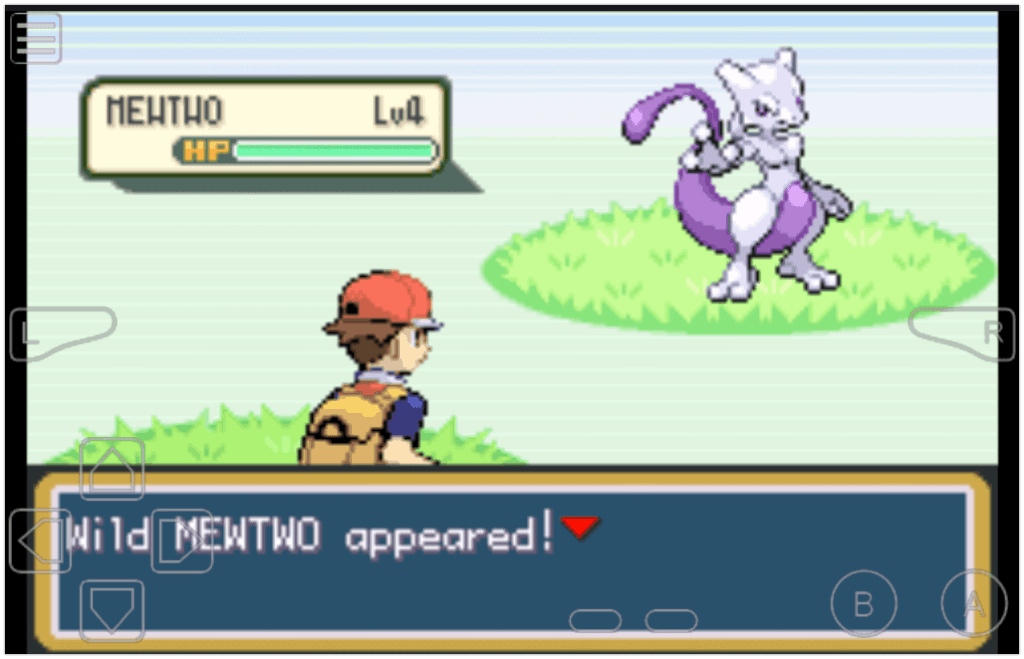
| 83007CEE YYYY | Wild Pokémon Modifier | Replace YYYY with a Pokémon code, e.g. 0096 for Mewtwo. Requires the v1.0 master code; v1.1 needs its own set. Using the wrong version with these Pokémon Fire Red GameShark codes causes bad encounters. |
TM, HM, and Technical Cheats
These codes grant access to all Technical and Hidden Machines, which are key moves needed for progression.
| Cheat Code | Effect | How to Use |
|---|---|---|
82025840 + TM/HM Code | Get Any TM or HM | First, enter 82025840 followed by a specific code (e.g., 0153 for HM01 Cut). Then, go to any Poké Mart and buy the first item in the list. |
Example TM/HM Codes:
0121= TM01 Focus Punch0153= HM01 Cut0155= HM03 Surf0159= HM07 Waterfall
How to Use Cheat Codes in Pokémon Fire Red
You typically need third-party hardware or software to activate these cheats. The process differs slightly between physical consoles and modern emulators. Most Pokémon Fire Red GameShark codes use the same entry process on either setup.
For GameShark or Action Replay on a Game Boy Advance:
- First, you must enter a mandatory master code to enable the cheat device.
- The master code for Pokémon Fire Red v1.0 is 000014D1 000A + 1003DAE6 0007. For v1.1 cartridges and ROMs, use 72BC6DFB E9CA5465 + A47FB2DC 1AF3CA86 instead.
- After enabling the master code, you can enter individual cheat codes for the effects you want.
For Emulators (like Visual Boy Advance):
- Open your emulator and load the Pokémon Fire Red ROM file.
- Navigate to the “Cheats” menu, then select “Cheat List”.
- Choose the option to enter a “Gameshark” code.
- Input your desired code, select OK, and resume your game.
A critical best practice is to always save your game before activating any cheat. Furthermore, you should avoid running too many codes simultaneously. Activating more than two or three cheats at once can cause game instability, crashes, or save file corruption. This applies to every Pokémon Fire Red GameShark code in this guide.
Master Code and Anti-DMA: Why Fire Red Cheats Fail
If you have pasted a code in correctly and nothing happens, the problem is almost never the code itself. Pokémon is the awkward exception among Game Boy Advance games: on most GBA titles an emulator will run a cheat straight away with no setup, but Fire Red usually needs a master code (sometimes labelled an enabler code) switched on first, and it has to sit at the top of your cheat list.
The second piece is Anti-DMA. Fire Red shuffles where it keeps values in memory while you play — a technique called dynamic memory allocation. A cheat points at a fixed address, so once the game moves that value the code is writing to the wrong place, which is why a cheat can work for a few minutes and then quietly stop, or crash the game. An Anti-DMA code pins those addresses down so your cheats keep hitting the right target.
Do not mix formats. GameShark, Action Replay and Code Breaker codes are written differently, and running a GameShark code and a Code Breaker code at the same time is a reliable way to freeze the game or corrupt a save. Pick one format and stay in it.
Which Emulators Run Fire Red Cheats?
Every mainstream GBA emulator has a built-in cheat menu, so the codes in the tables above work the same way across all of them. These are the ones worth using:
| Emulator | Platform | Formats accepted |
|---|---|---|
| mGBA | Windows, macOS, Linux | GameShark, Action Replay, Code Breaker |
| My Boy! | Android | GameShark, Action Replay, Code Breaker |
| Delta | iOS, iPadOS | GameShark, Action Replay, Code Breaker |
| Visual Boy Advance-M | Windows | GameShark, Code Breaker |
| RetroArch (mGBA core) | Most platforms | GameShark, Action Replay |
Cheat Not Working? Run Through This First
- Turn the master code on, and put it first. Most “dead” codes are just missing this.
- Add the Anti-DMA code if cheats work briefly then stop.
- One code at a time. Stacking cheats is the main cause of freezes — enable what you need, then switch it back off.
- Leave codes off until the moment you want them. A walk-through-walls code left running will eventually put you somewhere the game cannot handle.
- Restart the emulator. Cheat menus often only apply changes on a fresh load.
- Check your ROM region. Codes written for the US release frequently do nothing on a European or Japanese ROM.
- Save before you cheat. Keep a separate save slot you can fall back to.
Benefits, Risks, and Best Practices
Using cheat codes can significantly enhance your gameplay. They save time by reducing repetitive grinding for levels or money and allow you to experience all the game’s content, including Pokémon and areas that were originally event-exclusive or trade-only. For veteran players, cheats offer a fun way to create a new, customized challenge or to simply explore the game world without restrictions. All Pokémon Fire Red GameShark codes in this guide were retested for our October 2026 refresh.
However, these advantages come with real risks. The most serious is save file corruption, which can erase your progress completely. Cheats can also cause game freezes, graphical glitches, or unpredictable behavior. From an enjoyment perspective, overusing cheats can remove the sense of challenge and accomplishment that makes the game rewarding.
To enjoy these Pokémon Fire Red GameShark codes safely, follow these guidelines:
- Always create a backup save before activating any new cheat code.
- Limit active cheats. Do not run more than three codes at the same time to maintain stability.
- Disable cheats after use. For codes that grant items or modify stats, turn them off once you have the desired effect.
- Test codes gradually. Apply one cheat at a time and check your game’s performance before adding another.
- Use trusted sources. Obtain your codes from reputable gaming websites and communities to avoid incorrect or malicious codes.
Frequently Asked Questions
Are Pokémon Fire Red cheat codes legal to use?
Using cheat codes on a personal copy of the game or a ROM for personal use is generally accepted. However, using cheats to gain an advantage in any form of competitive or online play is prohibited and can result in bans.
Why isn’t my cheat code working?
First, ensure you are using the correct code for the US version of Pokémon Fire Red, as codes are often region-specific. Double-check that you entered the code accurately, without any spaces or typos. If using a GameShark, confirm you entered the mandatory master code first. Finally, having too many cheats active at once can prevent new ones from functioning correctly.
Can I use these cheat codes on Pokémon Leaf Green?
While Pokémon Fire Red and Leaf Green are very similar, they often require different cheat codes. Codes designed for Fire Red will typically not work on Leaf Green, and vice versa. Always look for codes specifically labeled for your game version.
What is the safest cheat to use?
Item cheats, like those for Master Balls or money, are generally among the safest. They have a lower risk of causing major glitches compared to codes that alter game geography (like walk-through-walls) or directly edit Pokédex data. Regardless, you should still save before using any cheat.
Where can I find more cheat codes?
Reputable gaming news websites, dedicated cheat code archives, and active emulator communities are excellent sources for Pokémon Fire Red GameShark codes. Forums where players discuss their experiences with specific codes can also provide valuable insights and troubleshooting tips. For official game details, check the official Pokémon website.
Get More Game Codes:
- Driving Empire Codes
- Bayside High School Codes
- Roblox Hair Codes
- Pokémon Scorched Silver Cheats
- The Hunter Call Of The Wild Cheats
- Pokémon LeafGreen Cheats

Axee Davies is the founder of AxeeTech, publishing gaming guides, codes, and Windows how-tos since March 2013. A tech enthusiast for 13+ years — starting with smartphones and Android rooting — he now runs a site that puts out a new guide every day for Roblox players, traders, and Windows users. More about AxeeTech
More Codes You May Like
 Blood Strike Codes (October 2026): Working Redeem Codes & How to Use Them
 Pokemon UNITE Codes (October 2026): Working Gift Codes & How to Redeem
 Watcher of Realms Codes (October 2026): How to Redeem & Where to Find Them
 Brawlhalla Codes (October 2026): Skins, Titles & How to Redeem
 Lords Mobile Codes (October 2026): Working Redeem Codes & How to Use Them
 BreakDoor Codes (October 2026)- All working Codes
 Berry Avenue Codes: Get Free Bangs, Cute Face, Denim Shorts, And More
 Four Elements Trainer Cheats 2026: Sets Free Your money, Respect Level, And More