ERR_EMPTY_RESPONSE: 7 Proven Fixes for Chrome
ERR_EMPTY_RESPONSE means Chrome connected to the server and received nothing back. The message reads “didn’t send any data”. Use these steps to fix ERR_EMPTY_RESPONSE whether you are a visitor or run the site.
Quick answer: ERR_EMPTY_RESPONSE means the server answered with nothing. Visitors should clear cache and cookies, disable extensions and reset the network. Site owners should check server logs, PHP memory and plugins.
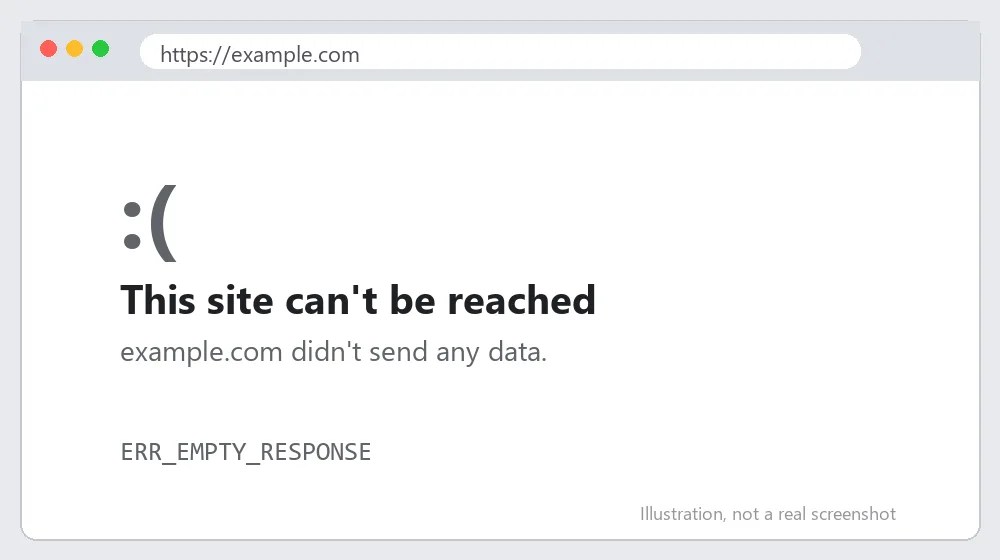
What Causes ERR_EMPTY_RESPONSE?
The server closed the connection without sending a response. Frequent causes:
- The server crashed or ran out of memory.
- A firewall, proxy or VPN blocked the response.
- A corrupted browser cache or cookies.
- A faulty plugin or script on the website.
How to Fix ERR_EMPTY_RESPONSE: Step-by-Step
Step 1: Reload and wait a minute
Server hiccups are often temporary. Press Ctrl+F5 after a minute.
Step 2: Clear cache and cookies
Open chrome://settings/clearBrowserData, select cookies and cached images, and clear them.
Also Read: https://axeetech.com/how-to-fix-err-too-many-redirects-complete-guide/
Step 3: Disable extensions
Test in Incognito. Remove extensions that filter or modify traffic, such as ad blockers and VPN add-ons.
Step 4: Reset the network
Run ipconfig /flushdns and netsh winsock reset, then restart. For stubborn cases follow the ERR_CONNECTION_RESET steps.
Step 5: Check the server (site owners)
Look at your hosting error log for PHP fatal errors or memory limits, and raise PHP memory_limit if needed.
Step 6: Disable plugins (site owners)
Rename the plugins folder through FTP to deactivate all plugins, then enable them one by one. Ask your host about firewall rules if the error persists.
Step 7: Contact support
If nothing works, send your host or the site’s owner the exact time of the error. The Chrome Help Center also lists connection troubleshooting.
ERR_EMPTY_RESPONSE on Mac, Android and iPhone
On a Mac, test in a Chrome guest window to rule out extensions, then clear cached data under Chrome, Settings, Privacy and security. Also check that the macOS firewall or a VPN client is not dropping responses.
On Android, clear Chrome’s cache and data from the system app settings, then reload. If it still fails, try the site on mobile data to compare with Wi-Fi.
Advanced Troubleshooting for ERR_EMPTY_RESPONSE
For site owners, read the web server error log. Messages such as out of memory, segmentation fault or a PHP fatal error line up with the exact time of the empty response. Raise memory_limit in php.ini or wp-config.php if needed.
Disable heavy plugins and test with a default theme. Slow database queries can also make PHP workers time out and return nothing. The MDN HTTP reference explains what a normal server response contains.
If you see this only behind a proxy or load balancer, check its timeouts. Related troubleshooting: ERR_CONNECTION_RESET and ERR_TOO_MANY_REDIRECTS.

How to Stop ERR_EMPTY_RESPONSE Coming Back
- Monitor your server resources.
- Update plugins and PHP regularly.
- Use a CDN or caching to reduce load.
Common Mistakes When Fixing ERR_EMPTY_RESPONSE
Most repeat cases of ERR_EMPTY_RESPONSE come from a handful of avoidable slips. Before you spend an hour on advanced troubleshooting, check that you have not made one of these:
- Testing only in the browser where extensions are installed instead of using a clean Incognito or guest window.
- Raising PHP memory limits without checking which plugin causes the crash.
- Assuming the problem is your internet when only one website returns the error.
Testing one change at a time also helps. If you change DNS, proxy and firewall settings together, you will not know which change actually fixed ERR_EMPTY_RESPONSE, and you may leave a harmful setting in place.
Quick Recap: Fixing ERR_EMPTY_RESPONSE
Work through the fixes in order, because most cases of ERR_EMPTY_RESPONSE clear up within the first three or four steps. If you still see ERR_EMPTY_RESPONSE after every step, note the time it happens, which network you are on, and which sites are affected, then contact your internet provider, your hosting company or the site owner with those details.
ERR_EMPTY_RESPONSE FAQ
What does ERR_EMPTY_RESPONSE mean?
The server accepted the connection but returned no data.
Is it my computer?
If other sites work, it is usually the website’s server.
Can PHP memory cause it?
Yes. A script that exhausts memory can crash and send an empty reply.
Is ERR_EMPTY_RESPONSE a Chrome bug?
No. It is a genuine response from the network or server, so the fix lies there rather than in the browser.
Why does it happen after a WordPress update?
A plugin or theme can crash PHP on load. Disable plugins via FTP to find the culprit.

Axee Davies is the founder of AxeeTech, publishing gaming guides, codes, and Windows how-tos since March 2013. A tech enthusiast for 13+ years — starting with smartphones and Android rooting — he now runs a site that puts out a new guide every day for Roblox players, traders, and Windows users. More about AxeeTech
More Guides You May Like
 Top 3 Free online MBOX to PST Converters
 What Is the Blue Dot Beside the Battery in Samsung Phones After the One UI 9 Update?
 ArtCraft Review: 12 Free Adobe & Microsoft Office Alternatives (Launcher + Download Guide)
 Star Citizen Retribution: What It Is and Can You Buy It
 Star Citizen Ranta Dung: Where to Find It and Price
 Star Citizen Wikelo Ships: How to Get War Special Rewards
 Star Citizen Sabre Firebird: Specs, Price and Where to Buy
 Star Citizen Executive Hangar Guide: Timer and Rewards