PS5 Error Code Lookup: Free Fix Finder and Best Safe Mode Option for 24 Codes
The PS5 error code lookup tells you what a PlayStation 5 error code means, gives the fix steps in the right order, and names the exact Safe Mode option to pick when a rebuild or update is needed.
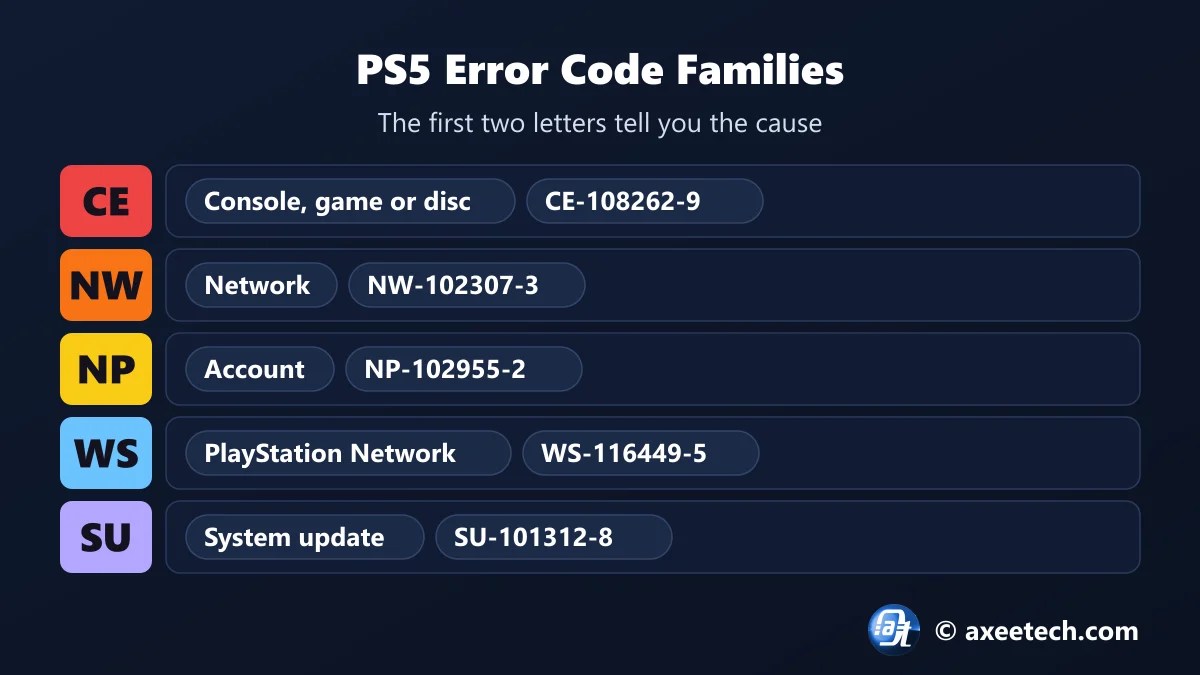
PS5 codes follow a pattern. CE codes are about the console, a game or a disc. NW and WV codes are your network. NP and WS codes are your account or PlayStation Network itself, and SU codes are system updates. Knowing the family tells you whether to rebuild the database, restart the router or just wait. Pick your code below.
Table of Contents
How the PS5 Error Code Lookup Works
The PS5 error code lookup tags each code with a cause: game data, system data, disc, network, update, account, PlayStation Network or trophies. Each cause has its own fix list, ordered from the quick checks to the last resort. When a step needs Safe Mode, the tool names the option by its number so you do not pick a reset by mistake.
- Pick the code shown on screen.
- Pick your console.
- Read the cause and whether Safe Mode is needed.
- Follow the steps from the top.
- Stop as soon as the error clears.
PS5 Error Codes and What They Mean
| Code | Message | Type | Safe Mode option |
|---|---|---|---|
| CE-108255-1 | An error occurred with the game or application | Game or app data | 6 |
| CE-108262-9 | An error occurred while reading system software or application data | System or storage data | 6 |
| CE-100095-5 | Something went wrong with this game or app | Game or app data | 6 |
| CE-100005-6 | A problem occurred while reading the disc | Disc | – |
| CE-110538-8 | Blu-ray Disc could not be read | Disc | – |
| CE-105799-1 | Unable to connect to the server | Network | – |
| CE-107938-8 | System software update file could not be downloaded | System update | 4 |
| CE-106485-4 | A problem occurred while reading system software | System or storage data | 6 |
| CE-117773-6 | Problem with the extended or M.2 storage | System or storage data | 6 |
| SU-101312-8 | System software update error | System update | 4 |
| NP-102955-2 | Account information is incorrect | Account | – |
| NP-103105-0 | The service is under maintenance | PlayStation Network | – |
| NP-36006-5 | Trophy data is corrupted | Trophy data | 6 |
| NW-102307-3 | A communication error occurred | Network | – |
| NW-102216-2 | Could not connect to the network | Network | – |
| NW-102261-2 | Could not connect to the server | Network | – |
| NW-102308-4 | A communication error occurred | Network | – |
| NW-102417-5 | Network connection timed out | Network | – |
| NW-102650-4 | Unable to connect to the server | Network | – |
| WS-116449-5 | The server is under maintenance | PlayStation Network | – |
| WS-116483-3 | This app or feature cannot be used | PlayStation Network | – |
| WS-117224-7 | Cannot connect to PlayStation Network | Network | – |
| WV-109146-1 | Network connection failed | Network | – |
| E2-8223b089 | PlayStation Store purchase problem | PlayStation Network | – |
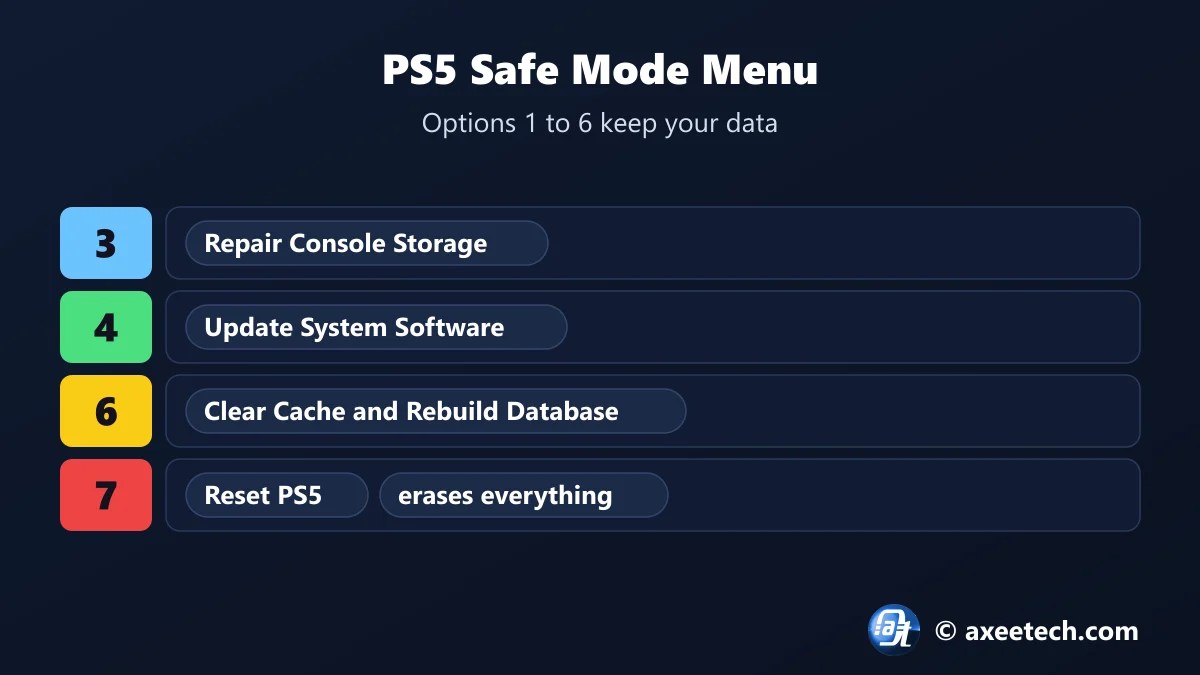
PS5 Safe Mode Options, Numbered
| Option | Name | What it does | Deletes data? |
|---|---|---|---|
| 1 | Restart PS5 | Leaves Safe Mode | No |
| 2 | Change Video Output | Fixes a blank screen by changing resolution or HDCP mode | No |
| 3 | Repair Console Storage | Tries to repair storage problems | No |
| 4 | Update System Software | Updates from the internet or a USB drive | No |
| 5 | Restore Default Settings | Resets settings only | No |
| 6 | Clear Cache and Rebuild Database | Clears the system cache and rebuilds the content database | No |
| 7 | Reset PS5 | Erases everything | Yes |
| 8 | Reset PS5 (Reinstall System Software) | Erases everything, including the system software | Yes |
Options 1 to 6 are safe. Options 7 and 8 erase the console, so back up saves to the cloud or a USB drive first. To start Safe Mode, turn the PS5 off, hold the power button until the second beep, then connect the controller by USB and press the PS button.
CE-108262-9 and CE-108255-1
CE-108255-1 is a game crash. CE-108262-9 is more serious on paper, because the console failed to read system or application data, but both usually clear the same way: update the game and the console, then run Safe Mode option 6. If CE-108262-9 keeps returning after a full reset, the storage may be failing and the console needs service. Both codes spike in the week of a big launch, when many players install a very large game on a nearly full drive.
Installing Grand Theft Auto VI? Use our GTA 6 preload troubleshooter for download and storage problems.
Network Codes: NW-102307-3 and the NW Family
- Check PlayStation Network first. If the status page shows a problem, wait.
- Test the connection under Settings, Network, Connection Status.
- Restart the router and use a LAN cable if you can.
- Change DNS to 1.1.1.1 and 1.0.0.1 if the test fails at the PlayStation Network sign-in step.
- Run the PS5 error code lookup again if the code changes after a fix.
PS5 Error Code Lookup Worked Example
A game crashes with CE-108262-9. The PS5 error code lookup labels it system or storage data, points to Safe Mode option 6 and lists eight steps, with the reset left until last. Change the code to WS-116449-5 and the answer is short: PlayStation Network is under maintenance, so wait.
About PlayStation 5
The PlayStation 5 is Sony Interactive Entertainment's current console, sold as the PS5, the Digital Edition, the slimmer 2023 model and the PS5 Pro. All of them share the same system software, the same error codes and the same Safe Mode menu.
Error codes are made of a two-letter family, a number and a check digit, such as CE-108262-9. The family is the quickest clue to the cause.
The PS5 error code lookup on this page is free to use, and we update it when the game changes its numbers.
Official page: PlayStation Support: PS5 error codes.
Related Calculators
If this PS5 error code lookup helped, these free tools work the same way.
- GTA 6 preload troubleshooter
- Xbox error code fixer
- GTA 6 release time calculator
- Roblox private servers on PS5
- All free gaming and tech calculators
New this month: Valorant error code fixer, Xbox error code fixer, Steam disk write error fix tool, Discord RTC Connecting fix generator, Fortnite error fixer.
Frequently Asked Questions
Quick answers about PlayStation 5 and the PS5 error code lookup.
What is PS5 error code CE-108262-9?
The console could not read system software or application data. Update the console and game, then use Safe Mode option 6, Clear Cache and Rebuild Database.
What is PS5 error code CE-108255-1?
A game or app crashed. Update the game and the console, rebuild the database and reinstall the game if it continues.
What is PS5 error NW-102307-3?
A communication error with PlayStation Network. Check the service status, restart your router and test the connection.
Which Safe Mode option rebuilds the database on PS5?
Option 6, Clear Cache and Rebuild Database. It does not delete games or saves.
What is NP-36006-5?
A trophy data error from the PS4 era. Sync trophies, rebuild the database, and re-create the local user if it stays.
Is the PS5 error code lookup free?
Yes. It runs in your browser and needs no sign-up.

Axee Davies is the founder of AxeeTech, publishing gaming guides, codes, and Windows how-tos since March 2013. A tech enthusiast for 13+ years — starting with smartphones and Android rooting — he now runs a site that puts out a new guide every day for Roblox players, traders, and Windows users. More about AxeeTech
More Games You May Like
 Project Mugetsu Codes (November 2026): Free Spins and Resets
 Blue Lock Rivals 8v8 Update: New Modes, Codes, and Strategies for 2026
 Wolverine Build Planner: Free Adaptation and Best Rage Build Tool (6 Builds)
 DOOM Slaughter Mode Loadout Builder: Free Weapon and Best Shield Rune Planner (19 Arenas)
 GTA 6 Release Time Calculator: Free Unlock Time and Best New Zealand Trick Tool (Nov 19)
 Multiversal Piece Stat Build Calculator — Fruit & Trait Guide
 Cricket 26 NRR Calculator: Free Net Run Rate and Best Next-Match Planner (T20, ODI)
 PUBG Mobile Flash Compatibility Checker: Free RAM, Storage and Best FPS Check (2GB Phones)
