7 Best Android Roblox Executors for 2026.
If you are looking for some of the best Android Roblox Executors in 2026, then you are at the right place. We have gathered a list of the 7 Best Roblox Executors for Android devices here.
Android Roblox executors are third-party applications that allow users to run custom scripts and modifications within the Roblox mobile environment. These tools enable players to execute Lua code that can alter gameplay mechanics, introduce new features, or automate certain tasks within Roblox experiences. The demand for these applications stems from players seeking to enhance their gaming experience beyond the limitations of the official Roblox platform.
The Android ecosystem presents unique challenges for Roblox executors due to device fragmentation across various manufacturers, hardware capabilities, and operating system versions. Unlike the more standardized iOS environment, Android devices vary significantly in their processing power, graphics capabilities, and system architecture, making executor development more complex. This variability means that an executor working perfectly on one Android device might malfunction or fail on another, even if both meet the minimum Roblox system requirements of Android 8.0 or higher. [Roblox Executors for iOS check here]
Using these tools involves significant security and legal considerations. Roblox Corporation explicitly prohibits the use of unauthorized third-party software that modifies the client experience. Violations can result in account suspension or permanent termination. Additionally, these applications often require extensive device permissions that could potentially be exploited for malicious purposes if downloaded from untrusted sources. [Do Checkout: Get Free Roblox Robux Codes]
Comprehensive Comparison Table of Android Roblox Executors
Here is the list of all 7 Android Roblox Script Executors for you, with their compatibility and Core Features.
| Executor Name | Android Version | Key Features | Usage Complexity | Special Requirements |
|---|---|---|---|---|
| Delta Executor | 8.0+ | Auto-execute, Key system, Advanced bypass | Moderate | None |
| Arceus X | 8.0+ | GUI interface, Script hub, Regular updates | Beginner | None |
| Hydrogen Executor | 8.0+ | Lightweight, Simple UI, Basic execution | Beginner | None |
| Code X | 8.0+ | Multi-platform support, Script library | Moderate | None |
| Fluxus Executor | 8.0+ | High execution speed, Game compatibility | Moderate | None |
| Kronos Executor | 8.0+ | Stability focus, Memory efficiency | Expert | RAM > 4GB |
| Trigon Executor | 9.0+ | Advanced scripting, Custom modules | Expert | OpenGL ES 3.2+ |
Other Roblox Executors that are mostly mentioned for PC and Console include Synapse X, JJSploit, Arceus X, Fishstraps, and others.
Roblox Script Executors for Android Feature Comparison Chart
Table 2: Detailed Feature Availability Across Android Roblox Executors
| Feature | Delta | Arceus X | Hydrogen | Code X | Fluxus | Kronos | Trigon |
|---|---|---|---|---|---|---|---|
| No Key System | ✓ | ✓ | ✓ | ✗ | ✗ | ✓ | ✗ |
| Auto-Execute | ✓ | ✗ | ✗ | ✓ | ✓ | ✗ | ✓ |
| Script Library | ✗ | ✓ | ✗ | ✓ | ✗ | ✗ | ✓ |
| Regular Updates | ✓ | ✓ | ✗ | ✓ | ✓ | ✓ | ✓ |
| GUI Interface | ✓ | ✓ | ✓ | ✓ | ✓ | ✗ | ✓ |
| Multi-Game Support | ✓ | ✓ | ✓ | ✓ | ✓ | ✓ | ✓ |
| Advanced Bypass | ✓ | ✗ | ✗ | ✓ | ✓ | ✓ | ✓ |
| Low Resource Use | ✗ | ✗ | ✓ | ✗ | ✗ | ✓ | ✗ |
| Custom Modules | ✗ | ✗ | ✗ | ✗ | ✗ | ✗ | ✓ |
| Memory Efficiency | ✗ | ✗ | ✗ | ✗ | ✗ | ✓ | ✗ |
Also Read: 7 Best iOS Roblox Executors
Detailed Roblox Script Executor for Android Profiles
Here we are with all the details regarding our list of 7 Best Android Roblox Executors for 2026, with No Key needed for most.
1- Delta Executor [Our Top Pic Roblox Script Executor]
Delta Executor positions itself as a versatile tool compatible with Android, PC, and iOS devices. It markets itself as a powerful execution platform capable of running popular Roblox scripts, including those for games like Grow a Garden, Adopt Me, and 99 Nights in the Forest. The application features an auto-execute function and advanced bypass mechanisms that purportedly help evade detection.

Main Features:
- Multi-platform support (Android, iOS, PC)
- Advanced anti-detection bypass systems
- Auto-execute capability for script automation
- Keyless access system for immediate use
| Pros | Cons |
|---|---|
| • Offers wide compatibility across different devices and operating systems. • Auto-execute function simplifies the process for less technical users. • Advanced bypass systems may offer some protection against detection. | • Requires installation from third-party sources, increasing security risks. • Violates Roblox’s Terms of Service, risking account restrictions. • Effectiveness of its bypass systems varies and is not guaranteed. |
| Rating: | ★★★★☆ |
2- Arceus X
Arceus X is one of the most recognizable names in the Android Roblox executor space. It differentiates itself with a user-friendly interface that makes script execution accessible even to beginners. The application includes a built-in script hub that provides users with pre-vetted scripts, reducing the need to search external sources.
Main Features:
- Intuitive graphical user interface (GUI)
- Integrated script library with regular updates
- One-click execution process
- Compatibility with a wide range of Android devices
| Pros | Cons |
|---|---|
| • Arceus X lowers the technical barrier to entry with its simplified interface and curated script selection. • The regular updates help maintain functionality as Roblox changes its security protocols. • The one-click execution system streamlines the process of running scripts. | •The application’s popularity makes it a frequent target for Roblox’s anti-cheat systems. •Some users report instability on devices with less than 4GB of RAM. •The integrated script library may limit advanced users who want to implement custom scripts. |
| Rating: | ★★★★☆ |
3- Hydrogen Executor
Hydrogen Executor takes a minimalist approach to Roblox script execution. It focuses on lightweight performance and essential functionality rather than extensive features. This makes it particularly suitable for older or less powerful Android devices that might struggle with more resource-intensive executors.
Main Features:
- Low resource consumption
- Simplified user interface
- Basic script execution capabilities
- Small application size
| Pros | Cons |
|---|---|
| • Hydrogen Executor operates efficiently on devices with limited processing power or memory. • The simple interface reduces confusion for users who only need basic execution capabilities. • The small application size makes for quick downloads and installations. | • The minimalist approach means advanced features like auto-execute or script libraries are absent. • The development team provides infrequent updates, potentially leaving users vulnerable to detection after Roblox security enhancements. • Limited support for complex scripts. |
| Rating: | ★★★☆☆ |
4- Code X
Code X distinguishes itself with multi-platform support and an extensive script library. It aims to provide a comprehensive toolset for Roblox modification enthusiasts who use multiple devices. The application includes features typically found in desktop executors, adapted for the mobile environment.
Main Features:
- Cross-platform compatibility
- Extensive built-in script library
- Regular feature updates
- Community script sharing platform
| Pros | Cons |
|---|---|
| • Code X offers consistent functionality across different device types, allowing users to maintain their workflow regardless of what device they’re using. • The extensive script library provides immediate access to numerous pre-made modifications. • Regular updates help maintain compatibility with Roblox updates | • The feature-rich approach results in higher resource consumption compared to lightweight alternatives. • The complexity of the interface may overwhelm beginners. • The community script-sharing feature could potentially expose users to malicious code if not properly moderated. |
| Rating: | ★★★★☆ |
5- Fluxus Executor
Fluxus Executor prioritizes execution speed and game compatibility above other considerations. It focuses on efficiently processing scripts while maintaining support for a wide range of Roblox experiences. The development team specifically optimizes the application for performance on mid-range Android hardware.
Main Features:
- High-speed script execution
- Broad game compatibility
- Memory optimization techniques
- Regular compatibility updates
| Pros | Cons |
|---|---|
| • Fluxus Executor delivers noticeably faster script execution compared to many alternatives. • The extensive game support means users are less likely to encounter experiences where the executor doesn’t function properly. • Memory optimization allows respectable performance even on devices with limited RAM. | • The focus on performance and compatibility comes at the expense of user interface refinement. • Beginners might find the application somewhat intimidating to use. • The specialized optimization might result in slower adoption of new Roblox features. |
| Rating: | ★★★★☆ |
6- Kronos Executor
Kronos Executor targets advanced users with its stability-focused approach and memory efficiency. It employs sophisticated techniques to minimize its footprint within the Roblox environment, potentially reducing detection risk, making it the Best Roblox Executor Mobile devices can have. The application is specifically designed for higher-end Android devices with ample resources.
Main Features:
- Advanced memory management
- Low detection rate methodology
- Expert-level configuration options
- Stability emphasis over feature quantity
| Pros | Cons |
|---|---|
| • Kronos Executor offers potentially better security against detection due to its sophisticated operational methods. • The stability focus results in fewer crashes during script execution. • Advanced configuration options provide experienced users with greater control over the execution environment. | • The complex configuration requirements make it unsuitable for beginners. • The focus on stability sometimes means slower implementation of new script functions. • High system requirements exclude users with a budget or older Android devices. |
| Rating: | ★★★★☆ |
7- Trigon Executor
Trigon Executor positions itself as a premium solution for serious modification enthusiasts. It offers advanced scripting capabilities and support for custom modules that extend its functionality beyond typical executors. The Roblox Script Executor specifically targets newer Android devices with capable hardware.
Main Features:
- Advanced script processing capabilities
- Custom module support
- High hardware requirements
- Regular feature expansions
| Pros | Cons |
|---|---|
| • Trigon Executor supports more complex modifications than typical Android executors. • The custom module system allows users to extend functionality based on their specific needs. • Regular feature updates continuously expand what the application can accomplish. | • The high hardware requirements significantly limit the number of compatible devices. • The complex interface has a steep learning curve for new users. • The advanced capabilities might increase detection risk due to more intrusive modification techniques. |
| Rating: | ★★★★☆ |
Do Checkout: Our List of Roblox Executors for other devices | Roblox Promo Codes
How to install Roblox Script Executors on Android devices:
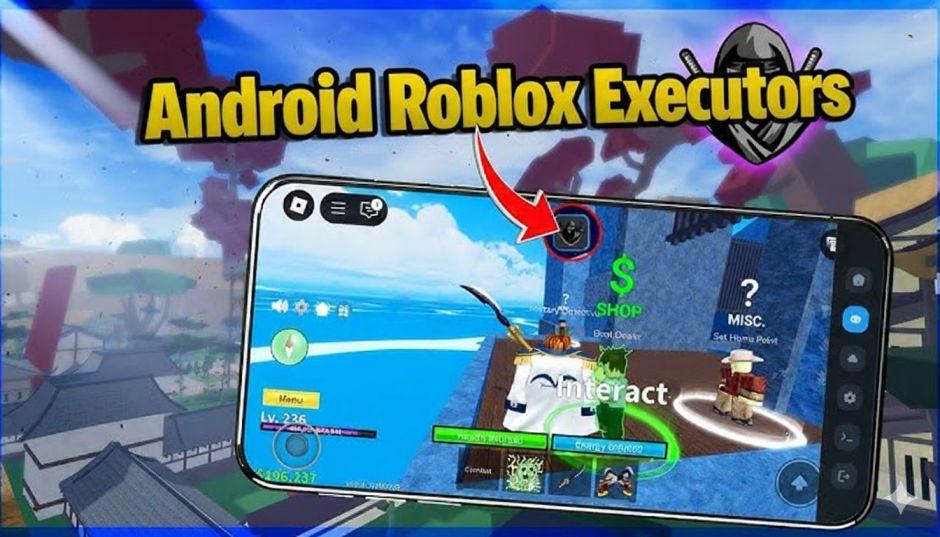
Here is the easy step-by-step guide for installing the Roblox Script Executors on your Android device. We take Arceus X as an example.
Step 1: Enable Installation from Unknown Sources
- Open your Android Settings.
- Go to Apps or Security & Privacy.
- Find and enable Install unknown apps or Unknown sources.
- Grant this permission to your browser (Chrome, Firefox, etc.).
Step 2: Download the Roblox Executor Mobile APK File
- Open your web browser.
- Go to the official Arceus X website. (A web search for “Arceus X official download” can help find the current source).
- Find and tap the download link for the Arceus X APK file.
Step 3: Install the Application
- Once downloaded, open the APK file from your notification bar or file manager.
- Tap Install when prompted.
- Wait for the installation to complete.
Step 4: Launch the Roblox Executor Mobile and Use
- Open the Arceus X app from your home screen.
- Follow any initial setup instructions inside the app.
- Open Roblox and join a game.
- Return to Arceus X, select a script, and execute it.
Important: Use a secondary Roblox account, not your main account. Roblox’s security frequently updates and may detect the executor, leading to a ban.
Roblox Script Executors Legal and Safety Considerations
Using third-party executors with Roblox involves significant legal and security risks that users must carefully consider. Roblox Corporation explicitly prohibits the use of unauthorized third-party software in its Terms of Service. Violations can result in account termination, potentially resulting in the permanent loss of purchased items, virtual currency, and game progress.
From a security perspective, these applications often require extensive permissions on Android devices. This access could potentially be exploited for malicious purposes, including data harvesting, malware installation, or financial theft. Users have reported instances of seemingly benign applications deploying background processes to mine cryptocurrency or steal personal information.
The availability of these tools fluctuates frequently due to legal challenges from Roblox Corporation, detection updates that render them ineffective, and developer abandonment. This instability means that an executor working today might become completely non-functional tomorrow without warning.
FAQs: Most Asked Questions About Roblox Executor Android
Is it safe to use a Roblox executor on Android?
Using Roblox executors on Android carries significant risks. These include potential malware infections from unverified sources and the violation of Roblox’s Terms of Service, which can lead to account suspension or permanent bans. While some executor developers claim safety, the risk cannot be entirely eliminated.
What is the best Roblox executor for Android?
Popular names often mentioned include Delta Executor (known for its cross-platform support and user-friendly interface), Arceus X, and Codex (praised for being free and receiving updates). The “best” executor is subjective and depends on factors like device compatibility, desired features, and update frequency, but all carry inherent risks.
How can I download and install a Roblox executor on my Android phone?
The general process involves enabling installation from “Unknown Sources” in your Android settings, downloading the APK file from the executor’s official website (e.g., delta-executor.it.com for Delta Executor), opening the downloaded file to install it, and then following the specific executor’s activation steps, which may involve obtaining a key.
Can I get banned for using an executor on Roblox?
Yes. Using any third-party software to modify the Roblox client or gain an unfair advantage is a direct violation of Roblox’s Terms of Service. Roblox employs detection methods, and if caught, your account can face penalties, including permanent termination.
Do I need to root my Android device to use a Roblox executor?
Most popular Android Roblox executors, like Delta and Arceus X, do not require a rooted device. They are designed to work on standard Android configurations (typically requiring OS 8.0 or higher).
Are there any free Roblox executors for Android?
Yes, many executors like Delta and Codex offer free versions. These often use a key system where users must complete tasks or watch ads to get a temporary activation key. Some may also offer premium, paid versions with more features.
Why does my antivirus flag the Roblox executor APK as a virus?
Executors work by injecting code into another application (Roblox), which is a behavior commonly associated with malware. Therefore, antivirus and anti-malware programs often flag them as potential threats. While this can sometimes be a “false positive,” it is crucial to be cautious and only download from official sources to avoid genuine malware.
What kind of scripts can I run with an Android executor?
Executors allow you to run custom Lua scripts. These can range from simple quality-of-life changes and graphical modifications to game-breaking exploits like automation (auto-farming), speed hacks, and accessing paid features for free. Using scripts to gain an unfair advantage is a common reason for account bans.
Will using an executor slow down my phone or game?
Potentially, yes. Executors run additional processes in the background, which consume system resources like CPU and RAM. This can lead to reduced in-game frame rates, increased latency, higher device temperature, and faster battery drain, especially on lower-end devices or with complex scripts.
Is there an official Roblox executor?
No. Roblox Corporation does not develop or endorse any third-party script executors. All such tools are created by independent developers and are unauthorized.
What are the minimum Android requirements for using Roblox executors?
Most executors require at least Android 8.0 (Oreo) or higher. Your device also needs to support OpenGL ES 3.0 or higher. The official Roblox app itself has these minimum requirements, so any device that can run Roblox can typically also run a mobile executor.
My executor stopped working after a Roblox update. Why?
This is extremely common. Roblox frequently updates its security and detection systems. When this happens, existing executors often break until their developers can release a new update to bypass the new protections. This creates a continuous “cat-and-mouse” game between Roblox and executor developers.
Conclusion and Recommendations
The landscape of Android Roblox executors offers various options with different strengths and specializations. Delta Executor provides the broadest cross-platform compatibility, while specialized options like Hydrogen Executor cater to users with limited device resources. More advanced solutions like Kronos and Trigon Executors target experienced users with specific needs.
When considering these tools, users should prioritize security precautions, including downloading only from official sources (when available), using secondary accounts rather than main profiles, and maintaining updated device security software. Understanding the potential consequences, including account termination and security vulnerabilities, is essential before using any third-party modification software.
The ongoing cat-and-mouse game between Roblox Corporation and executor developers means that the effectiveness and availability of these tools change constantly. Users should maintain realistic expectations about functionality longevity and have backup plans when their preferred executor becomes unavailable or ineffective due to detection updates.
For those determined to proceed despite the risks, starting with a beginner-friendly option like Arceus X or Hydrogen Executor provides an introduction to basic functionality before advancing to more complex tools like Trigon or Kronos Executors. Regardless of choice, all users should prioritize security and understand the potential consequences before using any third-party modification software.
Don’t forget to check out the Axeetech Codes section to get the latest and updated Roblox Game Codes that we regularly update.

Axee Davies is the founder of AxeeTech, publishing gaming guides, codes, and Windows how-tos since March 2013. A tech enthusiast for 13+ years — starting with smartphones and Android rooting — he now runs a site that puts out a new guide every day for Roblox players, traders, and Windows users. More about AxeeTech
More Roblox You May Like
 Blox Fruits Trade Calculator: 40% Rule Checker & Fruit Beli Prices (2026)
 MM2 Trade Calculator: Compare Two Value Lists Side by Side (2026)
 Roblox DevEx Rates 2026: All Three Rates Explained
 How to Set Up Tipalti for Roblox DevEx (2026)
 Grow a Garden Values (2026): Complete Trading Value List
 How to Say N Word in Roblox Chat 2026 just for Fun
 Roblox Horror Music ID Codes 2026: Complete Working List (All Categories)
 How to Get Free Robux in 2026: 12 Legitimate Methods (No Scams, No Generators)