ERR_CONNECTION_REFUSED: 7 Proven Fixes in Chrome
ERR_CONNECTION_REFUSED is the Chrome message that says “This site can’t be reached” and “refused to connect”. It means your browser reached the address but nothing was listening, or something blocked the connection on the way. Most of the time you can fix ERR_CONNECTION_REFUSED in a few minutes without any technical background.
Quick answer: ERR_CONNECTION_REFUSED means the other side said no. Start by testing the site on mobile data, restart your router, flush DNS, and switch off any proxy or VPN. Those four moves solve most cases in under ten minutes.
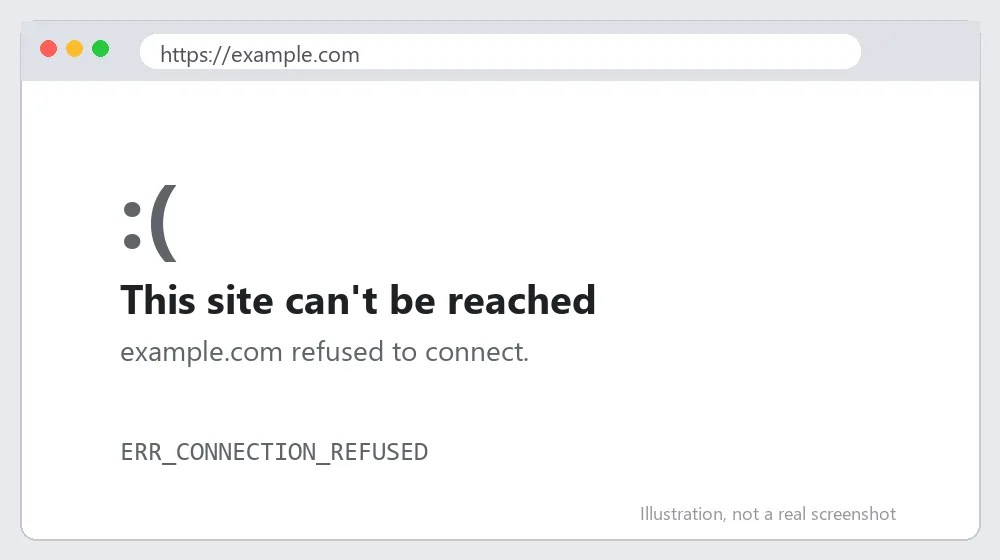
What Causes ERR_CONNECTION_REFUSED?
The error is raised when the target machine actively rejects the connection instead of just not answering. Common reasons:
- The website or local server is down, or the service is not running on that port (very common with localhost).
- A firewall, antivirus or VPN is blocking the connection.
- A proxy setting or a broken DNS cache is sending you to the wrong place.
- A browser extension is interfering with the request.
How to Fix ERR_CONNECTION_REFUSED: Step-by-Step
Step 1: Check whether the site is down for everyone
Open the same address on your phone using mobile data. If it also fails, the problem is on the website’s side and you can only wait. If it opens, the problem is on your computer or network, so keep going.
Step 2: Restart the router and your device
Power the router off for 30 seconds, turn it on, and reload the page. This clears stuck connections that cause a surprising number of refused-connection errors.
Also Read: https://axeetech.com/err_ssl_protocol_error/
Step 3: Flush the DNS cache and reset the network stack
Open Command Prompt as administrator and run these commands one by one:
- ipconfig /flushdns
- netsh winsock reset
- netsh int ip reset
Step 4: Turn off the proxy
In Windows go to Settings, Network & internet, Proxy, and switch off “Use a proxy server” unless your workplace requires it. A forgotten proxy is a classic cause. If your connection test fails on every site, our guide on the ERR_SSL_PROTOCOL_ERROR fix covers related network settings.
Step 5: Disable the firewall, VPN or antivirus temporarily
Pause them for a minute and reload. If the page loads, add Chrome to the allowed apps list instead of leaving protection off.
Step 6: Test with extensions off
Open an Incognito window, which disables most extensions by default. If it works there, disable extensions one at a time in chrome://extensions. If the problem started with a suspicious extension, read how to remove malware from Chrome.
Step 7: Fix localhost and development servers
If the error appears on localhost or 127.0.0.1, your local server is not running or is on a different port. Start the server again and confirm the port number in the address bar matches. See the Chrome Help Center for more on connection errors.
ERR_CONNECTION_REFUSED on Mac, Android and iPhone
On a Mac, open Terminal and run sudo dscacheutil -flushcache followed by sudo killall -HUP mDNSResponder to clear the DNS cache. Then check System Settings, Network, your connection, Details, Proxies, and untick every proxy. Apple documents these network panels in the Apple Support library.
On Android, open Chrome, tap the three dots, then Settings, Privacy and security, Delete browsing data, and clear cached images. If the error appears only on Wi-Fi, forget the network and reconnect. The Android Help Center explains network resets step by step.
Advanced Troubleshooting for ERR_CONNECTION_REFUSED
Look at the exact port. A refused connection on port 3000, 8000 or 8080 almost always means your development server is stopped or bound to a different address. Run the server again and confirm it listens on 127.0.0.1 or 0.0.0.0.
Check whether a security tool is silently blocking Chrome. In Windows Security, open Firewall & network protection, Allow an app through firewall, and make sure Google Chrome is ticked for private and public networks.
If the problem began right after installing software, remove it and test again. A related symptom is a timeout instead of a refusal, which we cover in the ERR_CONNECTION_TIMED_OUT guide, and sudden resets are explained in the ERR_CONNECTION_RESET guide.

How to Stop ERR_CONNECTION_REFUSED Coming Back
- Keep your router firmware and Windows network drivers updated.
- Avoid free VPN apps that route traffic through unreliable servers.
- Review installed Chrome extensions every few months and remove what you do not use.
Common Mistakes When Fixing ERR_CONNECTION_REFUSED
Most repeat cases of ERR_CONNECTION_REFUSED come from a handful of avoidable slips. Before you spend an hour on advanced troubleshooting, check that you have not made one of these:
- Restarting only the browser when the problem is a stopped server or a blocked port.
- Leaving a forgotten proxy enabled after testing a tool or working on a company network.
- Switching off the firewall permanently instead of allowing Chrome through it.
Testing one change at a time also helps. If you change DNS, proxy and firewall settings together, you will not know which change actually fixed ERR_CONNECTION_REFUSED, and you may leave a harmful setting in place.
Quick Recap: Fixing ERR_CONNECTION_REFUSED
Work through the fixes in order, because most cases of ERR_CONNECTION_REFUSED clear up within the first three or four steps. If you still see ERR_CONNECTION_REFUSED after every step, note the time it happens, which network you are on, and which sites are affected, then contact your internet provider, your hosting company or the site owner with those details.

ERR_CONNECTION_REFUSED FAQ
What does ERR_CONNECTION_REFUSED mean?
It means the server at that address actively refused your connection request, either because nothing is running there or because something blocked it.
Is ERR_CONNECTION_REFUSED my fault or the website’s?
It can be either. Test the site on another device and network to find out which side has the problem.
Why do I get it on localhost?
Your local development server is not running or is listening on a different port. Restart it and check the port.
How do I fix ERR_CONNECTION_REFUSED on localhost?
Start your local server, confirm the port in the address bar matches the one the server prints in its console, and make sure no other program uses that port.
Can a VPN cause ERR_CONNECTION_REFUSED?
Yes. Some VPNs block local addresses or route traffic through servers that reject the connection. Disconnect, reload, and reconnect only if the site works.

Axee Davies is the founder of AxeeTech, publishing gaming guides, codes, and Windows how-tos since March 2013. A tech enthusiast for 13+ years — starting with smartphones and Android rooting — he now runs a site that puts out a new guide every day for Roblox players, traders, and Windows users. More about AxeeTech
More Guides You May Like
 Top 3 Free online MBOX to PST Converters
 What Is the Blue Dot Beside the Battery in Samsung Phones After the One UI 9 Update?
 ArtCraft Review: 12 Free Adobe & Microsoft Office Alternatives (Launcher + Download Guide)
 Star Citizen Retribution: What It Is and Can You Buy It
 Star Citizen Ranta Dung: Where to Find It and Price
 Star Citizen Wikelo Ships: How to Get War Special Rewards
 Star Citizen Sabre Firebird: Specs, Price and Where to Buy
 Star Citizen Executive Hangar Guide: Timer and Rewards