Fixing Max Error Code 1000017: A Real-Talk Guide to Getting Your Movie Night Back
The “Popcorn is Getting Cold” Panic. You’ve had a long week. You’ve got your snacks ready, you’ve finally settled into the couch, and you hit play on the latest episode of The Last of Us or House of the Dragon.
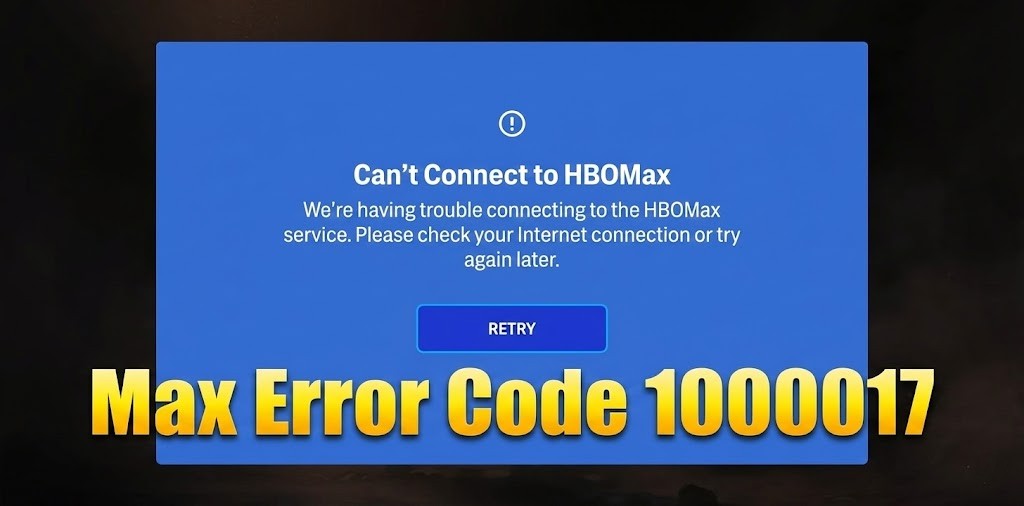
But instead of the intro music, you get a black screen and a soulless message: max error code 1000017.
It’s incredibly frustrating. I remember the first time I hit a playback error like this—I spent twenty minutes just clicking “retry” in denial, watching my pizza get cold. It feels like the technology is personally pranking you.
But here’s the good news: This isn’t a terminal failure. In my experience, troubleshooting streaming glitches (and I’ve wrestled with a lot of them since the switch from HBO Max to just Max), this specific error is almost always a “digital hiccup” between your browser and their servers. It’s rarely your internet being “broken,” but rather a blockage.
Here at Axeetech, we have got this sorted out so you can get back to watching.

What Does Max Error Code 1000017 Actually Mean?
Before we start unplugging things, let’s just understand what’s happening.
Think of the Max app (or website) as a secure tunnel. When you click “Play,” your device tries to shake hands with the Max server to say, “Hey, I’m allowed to watch this, send the video.”
The max error code 1000017 usually pops up when that handshake gets interrupted. It’s like a dropped call. This is most common on web browsers (Chrome, Edge, Safari), and it’s frequently caused by:
- A corrupted browser cache (old data getting in the way).
- An ad-blocker or extension is being a little too protective.
- A temporary glitch in your login session.
We don’t need a degree in computer science to fix this. We just need to clear the pipes.
Do Check: Rimiot501 Internal Error Fixed
Solution 1: The “Ad-Blocker” Check (The Usual Suspect)
If you are watching on a computer, start here. This is the culprit 8 times out of 10.
Streaming services like Max are incredibly sensitive to browser extensions. Even if you aren’t trying to block ads on Max specifically, having an ad-blocker running in the background can sometimes block the script that verifies your subscription status.
Try this simple test:
- Look at the top right of your browser for your ad-blocker icon.
- Pause it for the Max website.
- Crucial Step: Refresh the page completely (hit F5 or the circular arrow).
If the video starts playing, you’ve found your problem. You don’t have to uninstall the blocker forever, just whitelist Max.
Also Read: Fixing Error hf-xet-1.1.10-py310h63875d3_0
Solution 2: The “Cookie Clear” (Digital Spring Cleaning)
If disabling extensions didn’t work, your browser might be holding onto “stale” data. It’s like trying to open a door with an old key because you forgot you changed the locks.
I know, I know—nobody likes clearing their history because you lose your saved logins for other sites. But we can be surgical about this. You don’t have to wipe everything.
Here is the gentle way to do it:
- If you’re on Chrome:
- Go to the Max website where you see the error.
- Click the little “Lock” icon next to the URL bar (top left).
- Select Cookies and Site Data.
- Click Manage cookies and site data.
- Click the Trash Can icon next to anything related to Max.
- Reload the page. You will have to log in again, but this often clears the max error code 1000017 instantly.
Solution 3: The “VPN” Toggle
Are you using a VPN? I use one all the time for security, but streaming services hate them.
If Max detects an IP address that looks like a VPN, it might throw error 1000017 simply because it can’t verify exactly where you are (licensing laws are a pain, right?).
- The Fix: Temporarily turn off your VPN.
- The “Wait, really?” Fix: Sometimes, oddly enough, turning on a VPN can fix it if your ISP is having routing issues. But generally? Turn it off first.
Quick Reference: Troubleshooting Checklist
If you’re skimming this because you just want the video to play now, use this table.
| If you are on… | Try this first… | Why? |
| PC / Laptop | Disable Extensions | Extensions often block video players by accident. |
| PC / Laptop | Clear Cache | Old data conflicts with new updates. |
| Mobile / TV | Reinstall App | Sometimes the app update gets corrupted. |
| Any Device | Restart Router | It sounds cliché, but it flushes the DNS settings. |
When to Call in the Pros: Contacting Max Support
If you’ve tried all the steps above and the Max Error Code 1000017 still won’t budge, it’s time to get help. There might be a rare account-specific issue only their team can see.
How to contact them effectively:
- Go to the official Max Help Center (help.max.com).
- Use the contact form or live chat. Be specific: Tell them you’re getting “Error Code 1000017.”
- List the fixes you’ve already tried (e.g., “I’ve restarted my router, updated the app, reinstalled it, and disabled my VPN.”).
- Mention the specific device you’re using (e.g., “Samsung Smart TV, model UN65RU7100”).
This saves everyone time and gets you to a solution faster.
Keep It Running Smoothly: Quick Prevention Habits
Once you’re back to streaming, a few simple habits can keep this error from coming back:
- Enable Auto-Update: Turn on automatic updates for the Max app on your devices.
- Restart Regularly: Get in the habit of restarting your streaming device and router once a month.
- Manage Your Connections: Avoid logging into Max on an excessive number of devices at once, which can sometimes confuse your account session.
You’ve got this. These errors feel personal, but they’re just temporary technical conversations that got lost in translation. By following this logical, step-by-step approach, you’re not just fixing one error—you’re learning how to solve a whole category of streaming problems.
Now, go reclaim your couch time. Your show is waiting.
FAQs: Max Error Code 1000017
Why do I keep getting an error code on HBO Max?
This is usually a temporary communication issue between your device and the Max servers, often caused by a weak internet connection or corrupted app data. It can also happen if you are using a VPN or an ad-blocker that the service detects and blocks.
What is error code 20001 on HBO Max?
This code indicates that the app is having trouble playing content on your specific device, often because the device is outdated or the app version is too old. It can also appear if you try to resume a show from a different location than where you started it, causing a region conflict.
What is error code 1000004 on HBO?
This is a “stream limit” error, meaning your account is currently being used on too many devices simultaneously. To fix it, stop streaming on other screens or sign out of devices you aren’t using to free up a slot.
What is error code 1400503 Max?
This specific error is a playback failure most common on Samsung TVs and Android devices, usually caused by a corrupted cache. The most reliable fix is to unplug your TV or device from the power source for 60 seconds to clear its short-term memory before trying again.
How to fix the unexpected error on max?
If you are on a browser, disable any ad-blockers and clear your cookies for the Max website. If you are using the app, sign out completely and restart your device to force a fresh connection with the servers.
Is there a problem with Max today?
To check if Max is down for everyone, visit a site like DownDetector to see if there is a spike in user reports. If the reports are low, the issue is likely with your own internet connection rather than a widespread server outage.
Why is HBO Max suddenly not working?
Sudden stops are usually due to a momentary drop in internet speed or an automatic app update that failed in the background. Check your app store to see if a new version is available, or restart your router to refresh your connection.
How many devices are too many on Max?
It depends on your subscription tier: the Standard plan allows streaming on 2 devices at once, while the Ultimate plan allows for 4 devices. While you can be logged into many devices, the limit only applies to how many are actively playing video simultaneously.
The Final Verdict: The problem might be them, not you.
Sometimes, Max servers go down in specific regions. Before you spend another hour troubleshooting your own WiFi, check a site like DownDetector. If you see a giant spike of reports in the last hour? Close the laptop. Go grab a drink. There is nothing you can do until their engineers fix it on their end.
It’s annoying to hear “just wait,” but sometimes it saves you from tearing your hair out over a problem you can’t solve.
Next Step for You: Go to your browser right now and check your extensions toolbar. If you see an ad-blocker, pause it, hit refresh on your Max tab, and see if the show starts. Let’s hope you’re back to streaming in 30 seconds!
For more help, check our Guides Section.

Axee Davies is the founder of AxeeTech, publishing gaming guides, codes, and Windows how-tos since March 2013. A tech enthusiast for 13+ years — starting with smartphones and Android rooting — he now runs a site that puts out a new guide every day for Roblox players, traders, and Windows users. More about AxeeTech
More Guides You May Like
 What Is the Blue Dot Beside the Battery in Samsung Phones After the One UI 9 Update?
 ArtCraft Review: 12 Free Adobe & Microsoft Office Alternatives (Launcher + Download Guide)
 Star Citizen Retribution: What It Is and Can You Buy It
 Star Citizen Ranta Dung: Where to Find It and Price
 Star Citizen Wikelo Ships: How to Get War Special Rewards
 Star Citizen Sabre Firebird: Specs, Price and Where to Buy
 Star Citizen Executive Hangar Guide: Timer and Rewards
 Star Citizen Teach’s Ship Shop: Location and Teach’s Special